
How do I ask my pod a quick poll?
In Chat, tap the add button beside the message box (the plus sign), then Create Poll. Type your question and the choices, then tap Send to Chat.
Steps
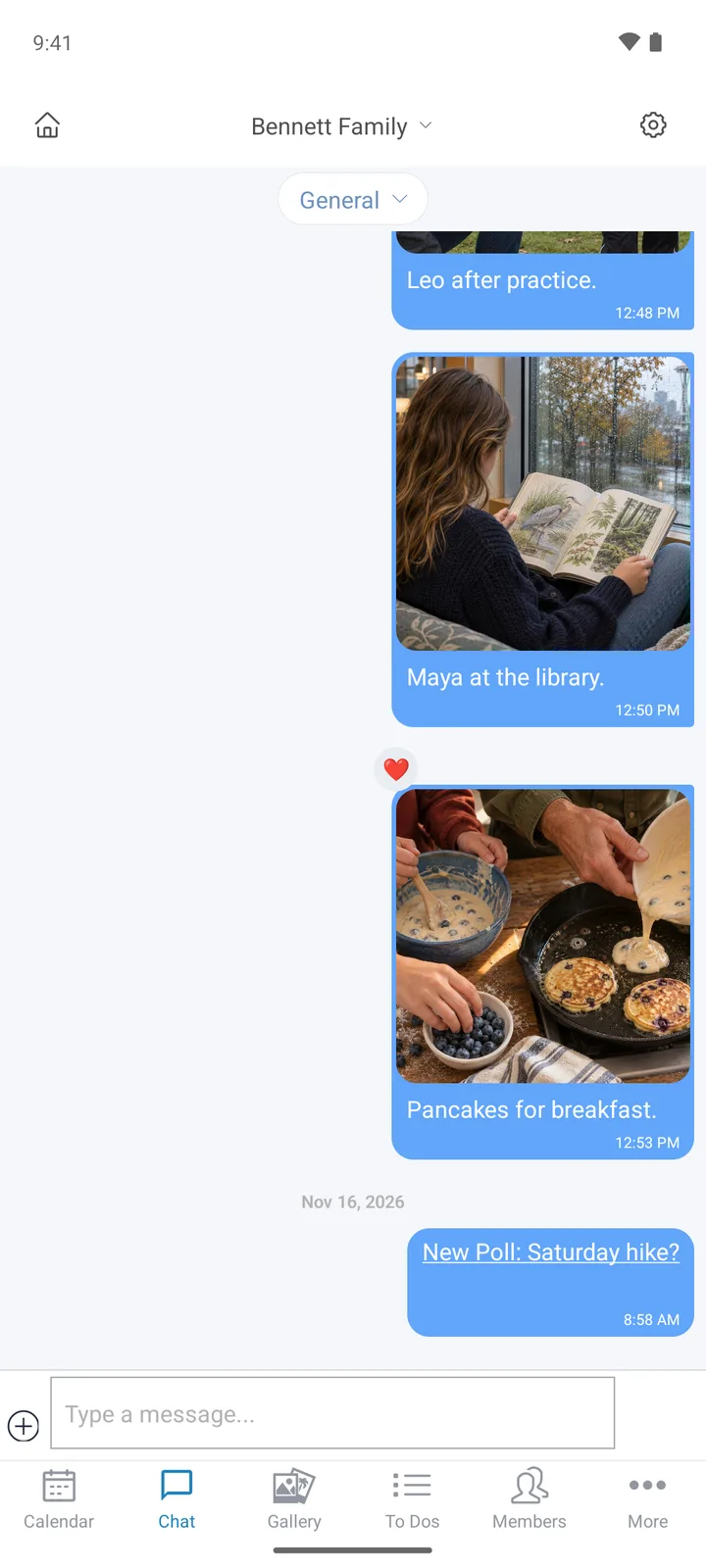
- Open your pod and tap Chat. The topic starts on General.
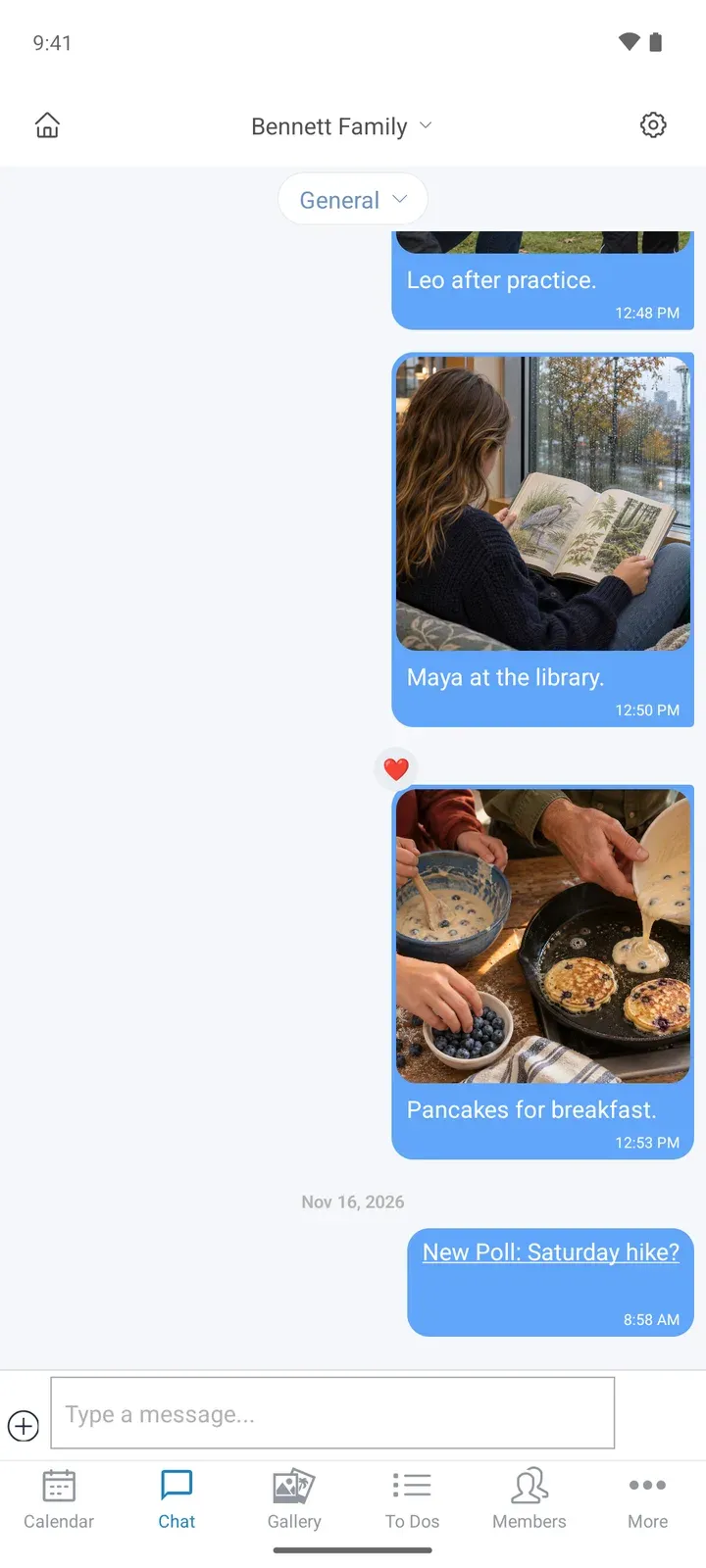
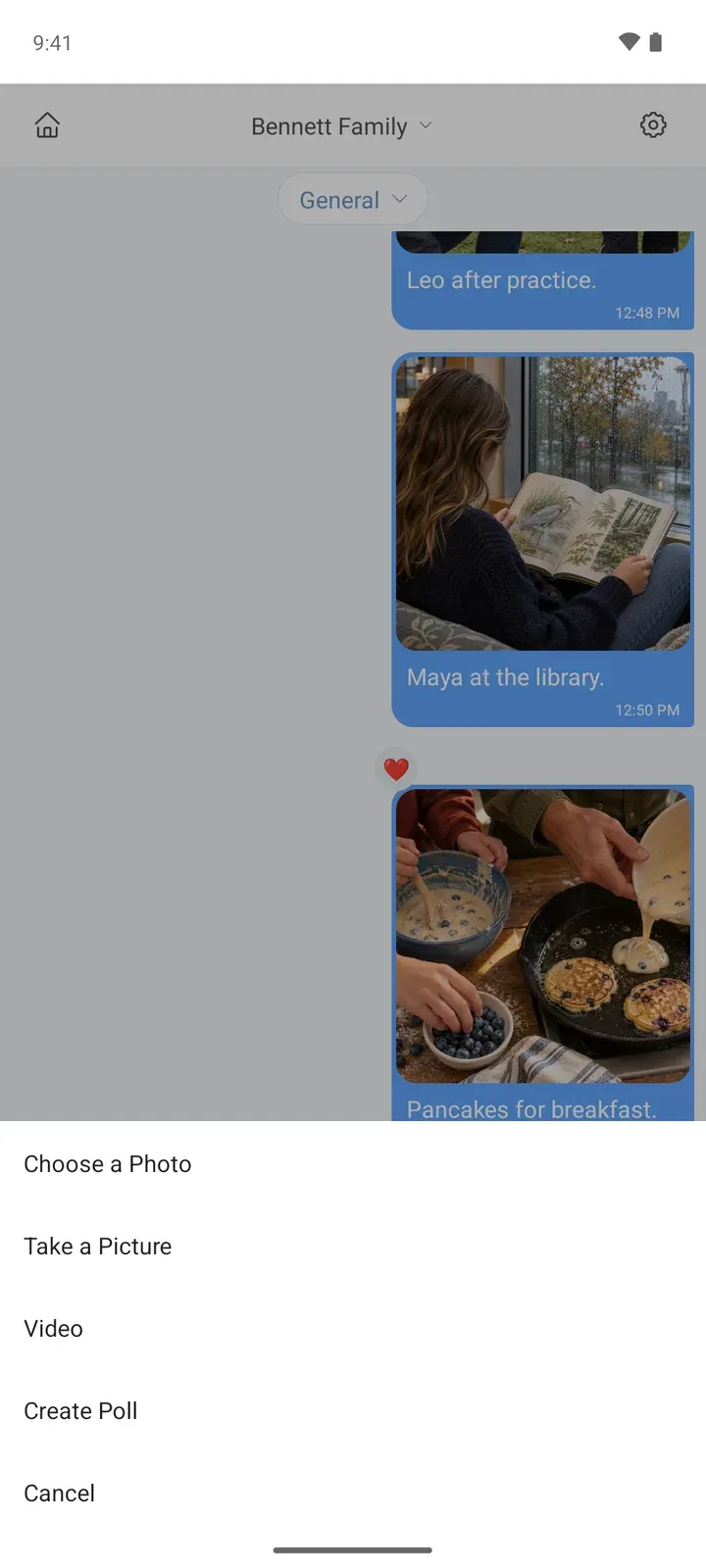
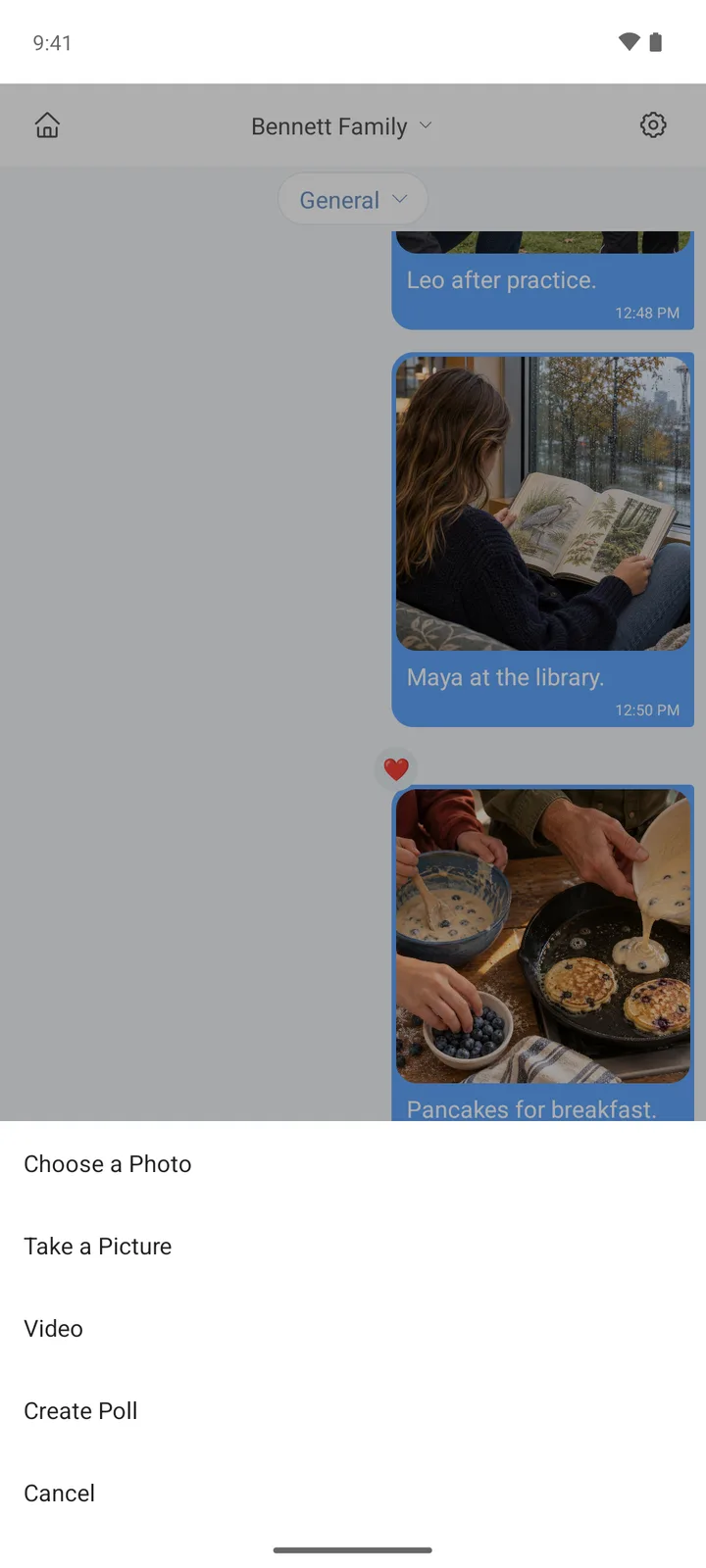
- Tap the add button (the plus sign) beside Type a message..., then Create Poll.
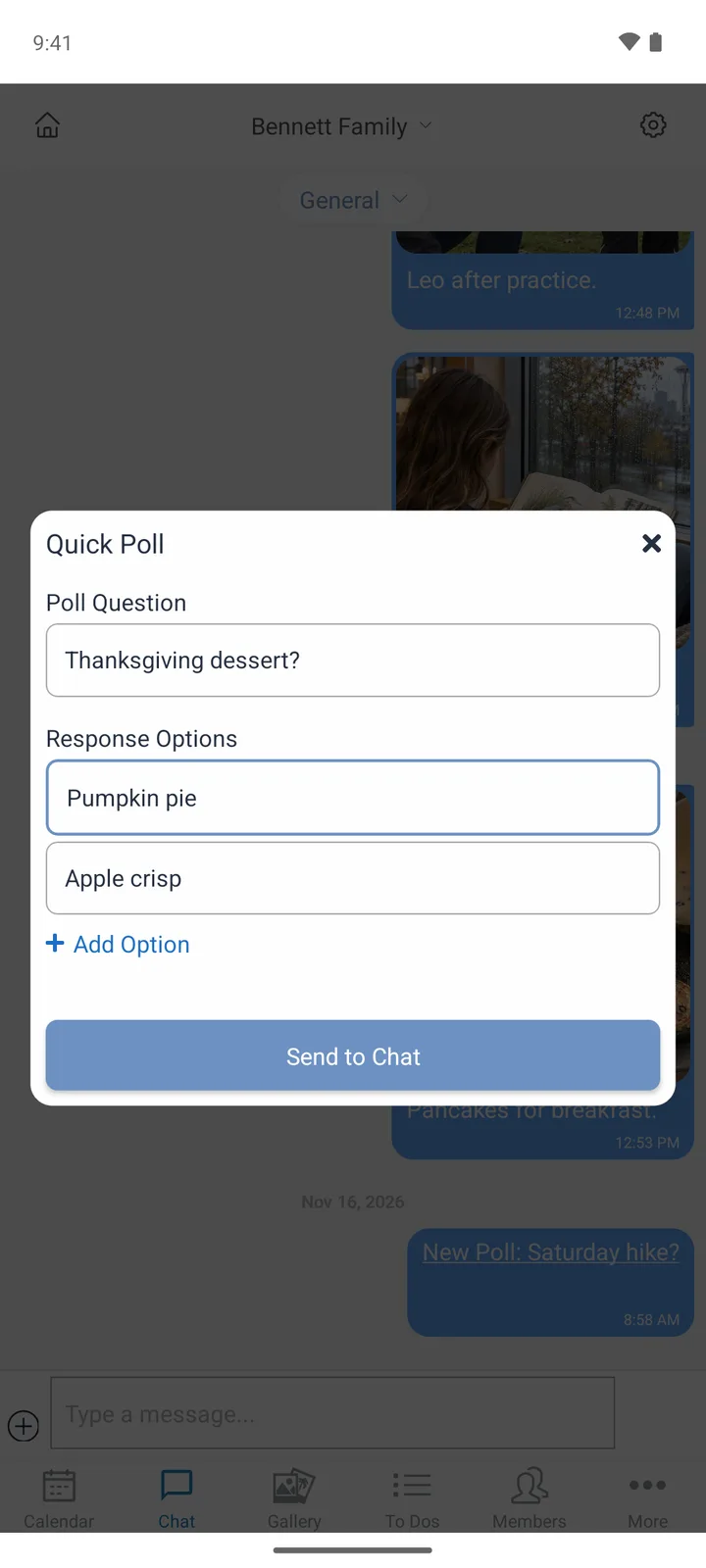
- In Quick Poll, type your question in Poll Question and the choices in Option 1 and Option 2. Tap Add Option for another choice.
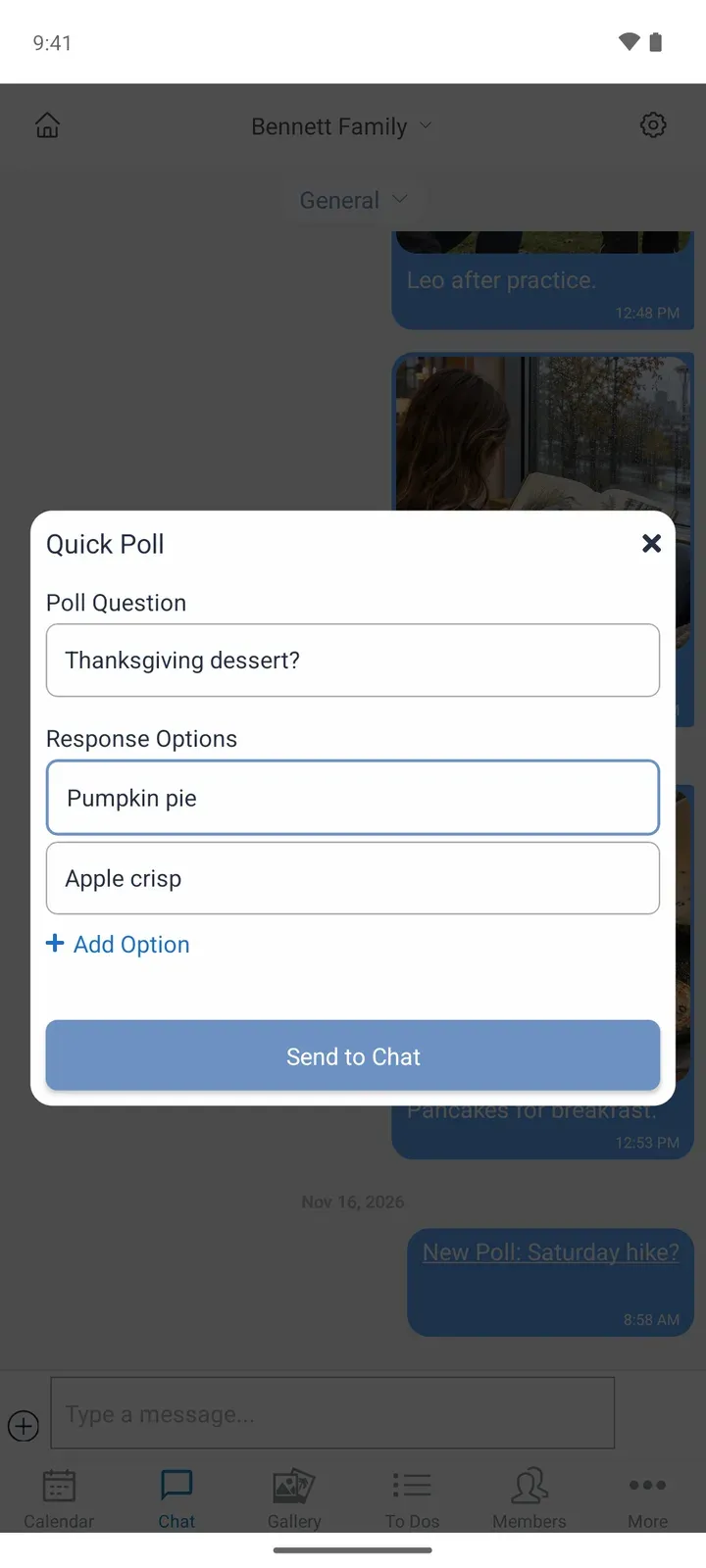
- Check the question and the choices.
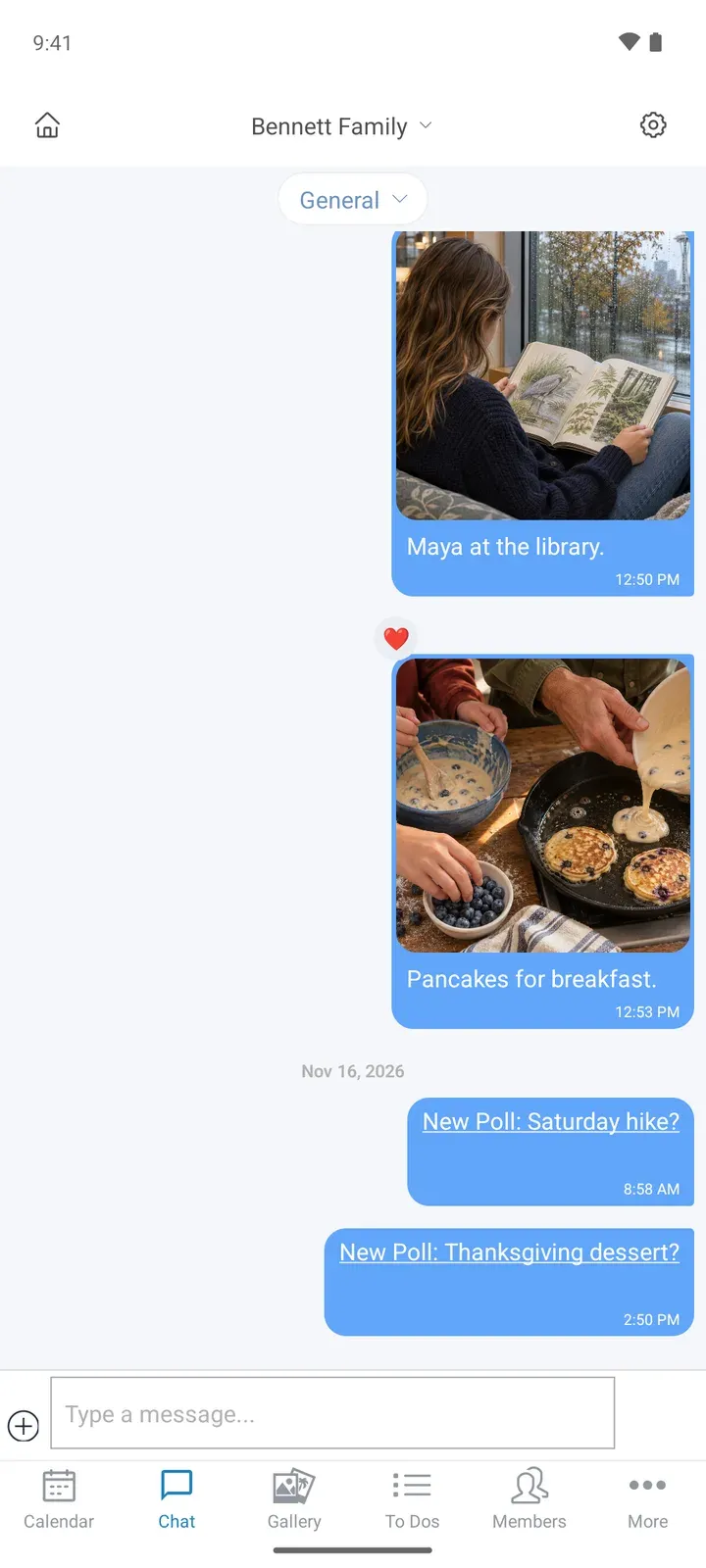
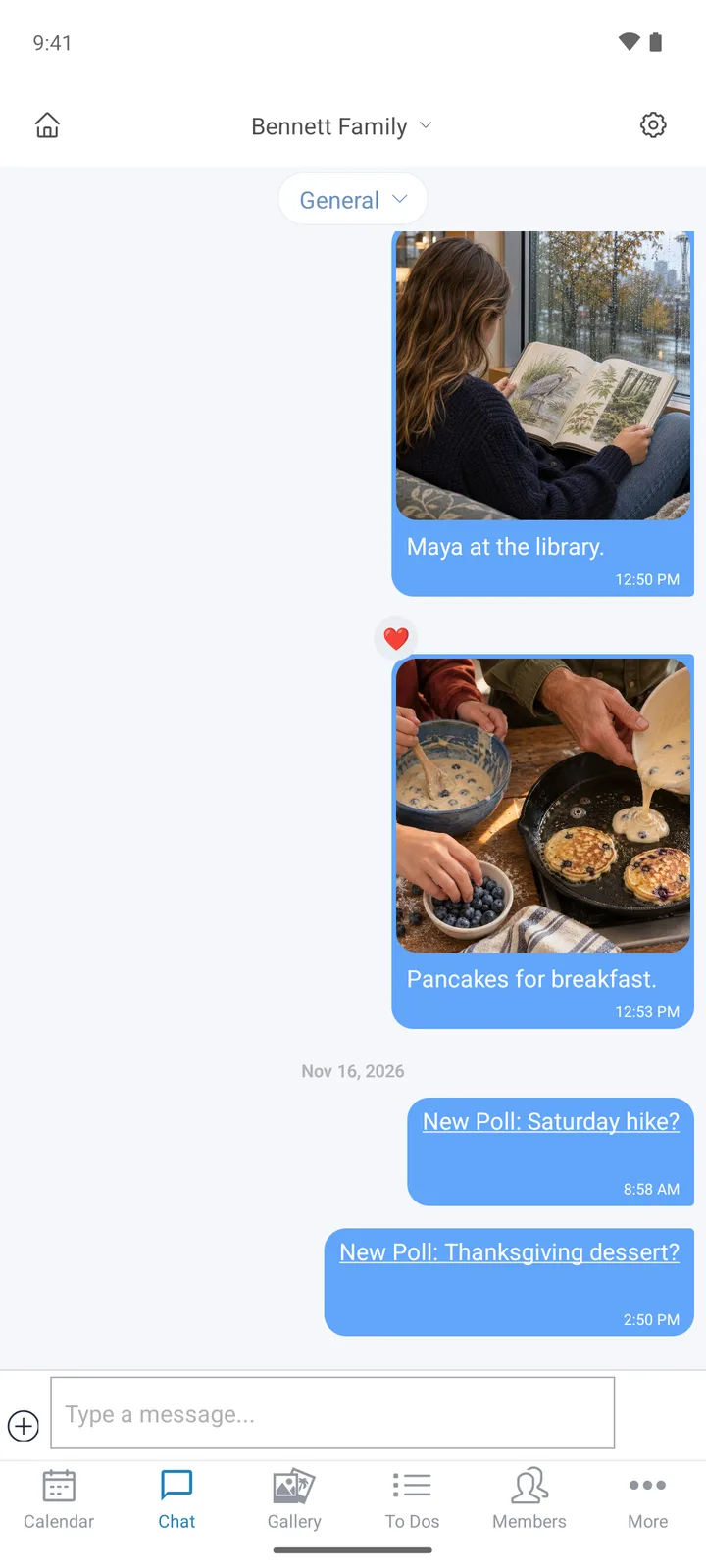
- Tap Send to Chat. The poll appears in the current topic as a message with the question.
Steps checked on Android; iPhone screens may look slightly different. Checked in Podz 2.20.56 on Nov 16, 2026.
Good to know
Response Options is the heading above the choices. The question placeholder reads What do you want to ask?
Still stuck? Get help from Podz, or search all the guides.
