
How do I join a pod with a code in Podz?
Tap the invite link you were sent. With a code instead, open the app menu (the gear icon at the top right of a pod screen), tap Join a Pod, then Join pod with invitation code, and type the code in Invitation Code.
Steps
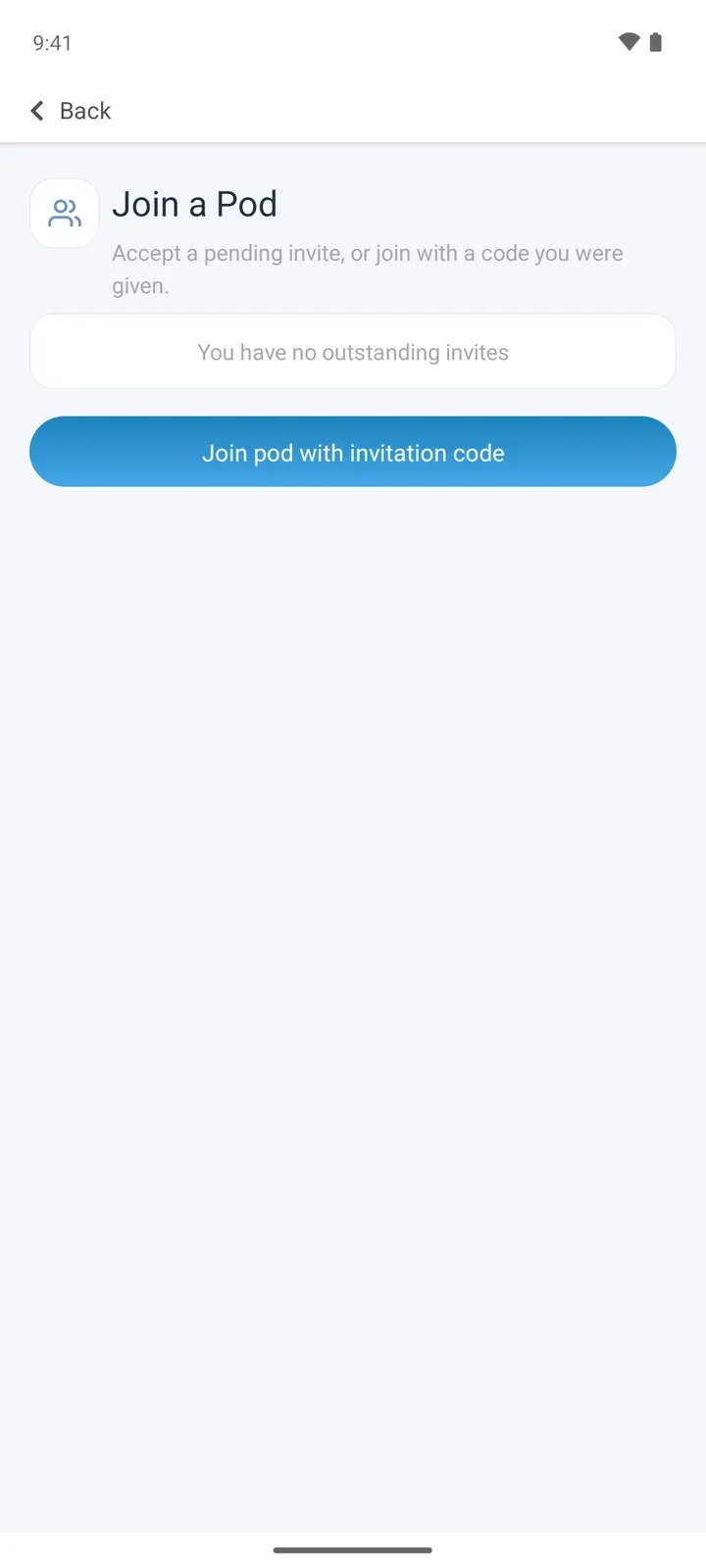
- Open the app menu (the gear icon at the top right of a pod screen) and tap Join a Pod. Invites waiting for you are listed there. To use a code, tap Join pod with invitation code.
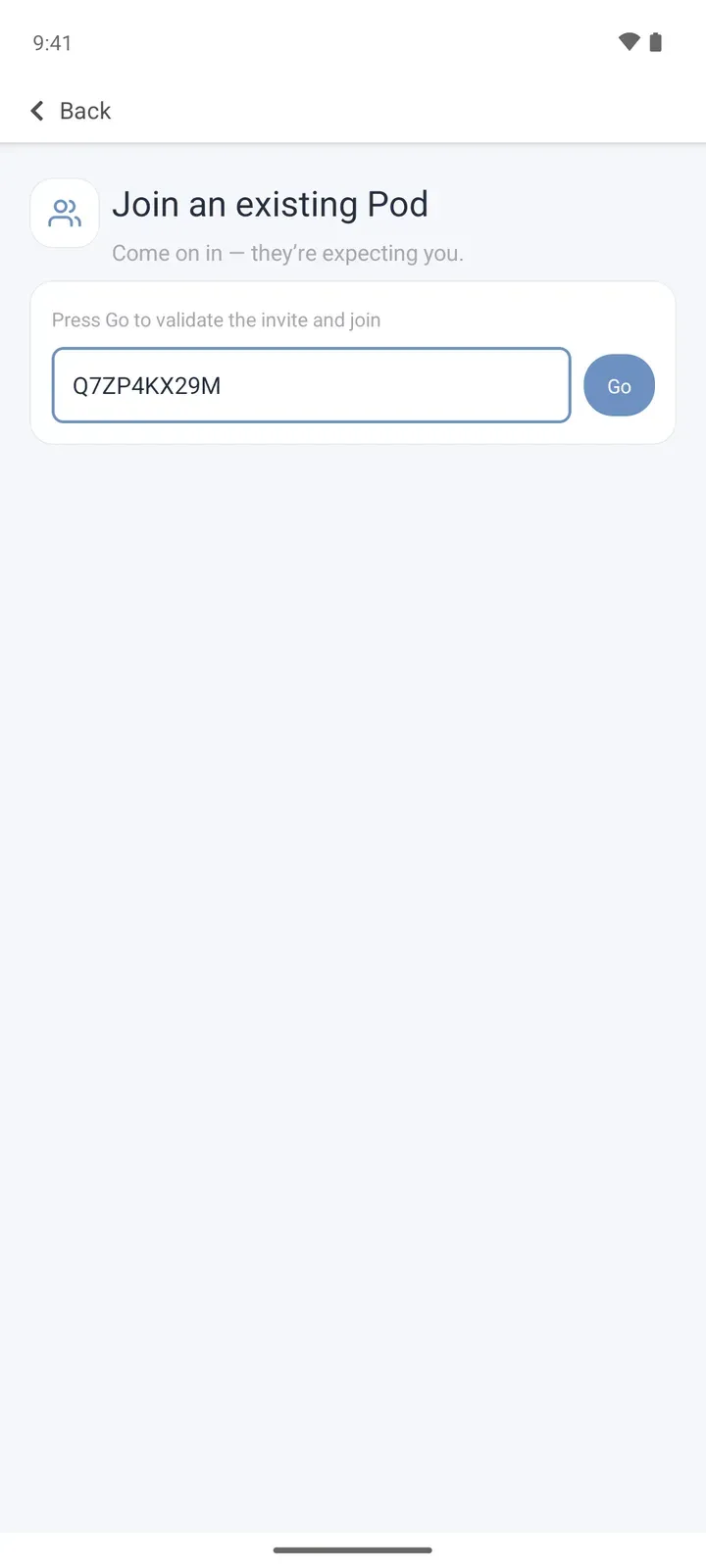
- On Join an existing Pod, type the code you were given in Invitation Code, then tap Go.
Steps checked on Android; iPhone screens may look slightly different. Checked in Podz 2.20.56 on Nov 16, 2026.
Good to know
The invite message holds a join link and the code. If Podz is not installed yet, the link opens the app store: install Podz, create your account, then tap the link again.
Still stuck? Get help from Podz, or search all the guides.
