
How do I add my kids or grandparents without phones?
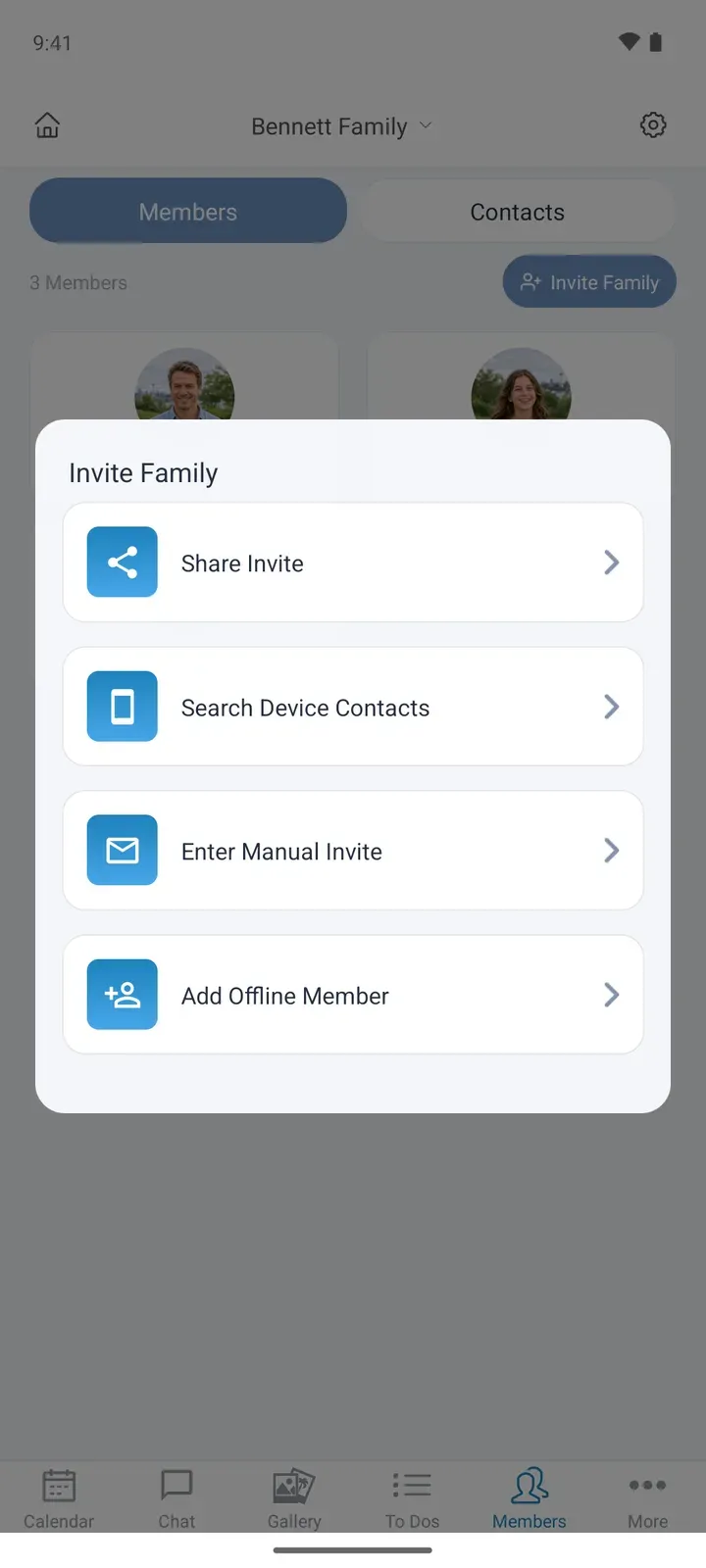
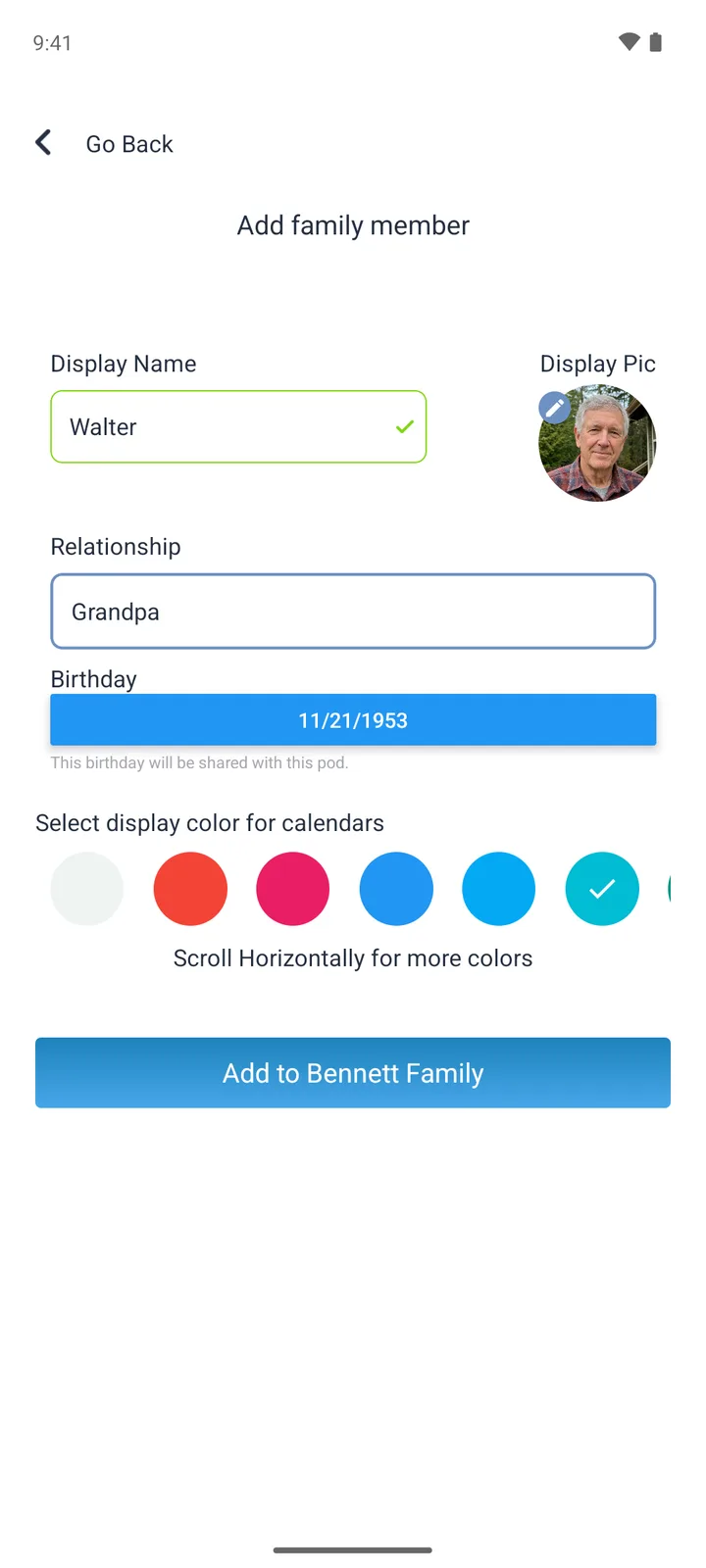
Add them from Members, Invite Family, Add Offline Member. The form asks for a display name, a picture, a relationship, a birthday, and a calendar color.
Steps
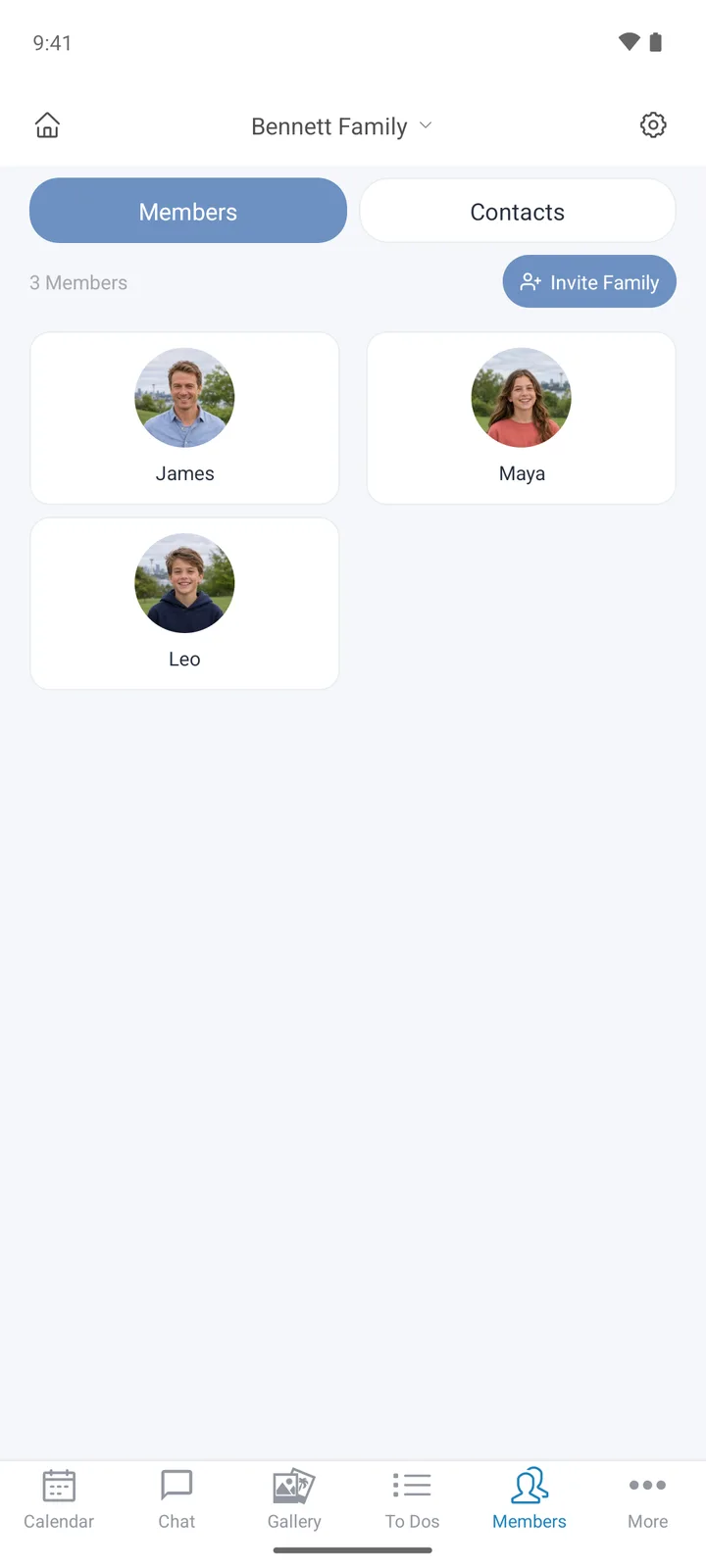
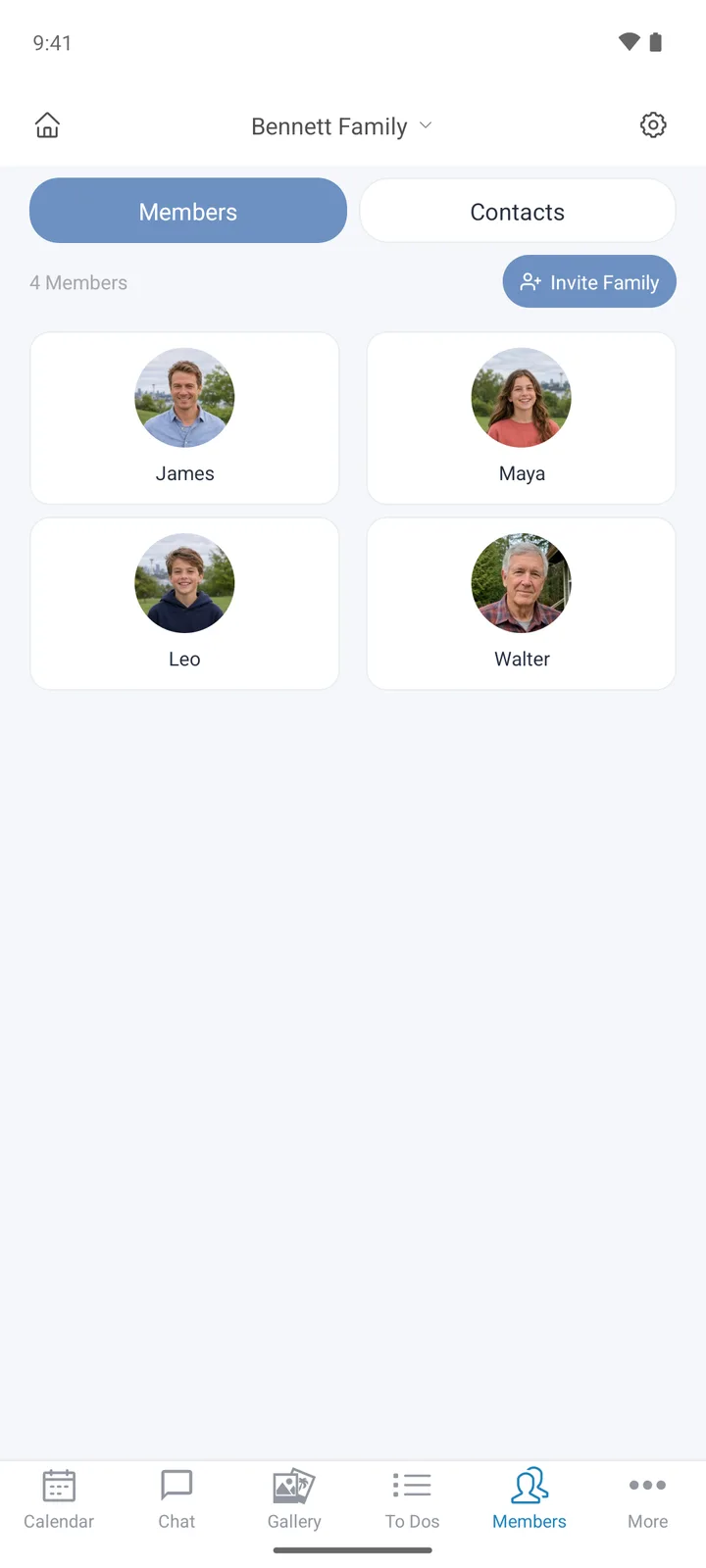
- Open the pod and tap Members.

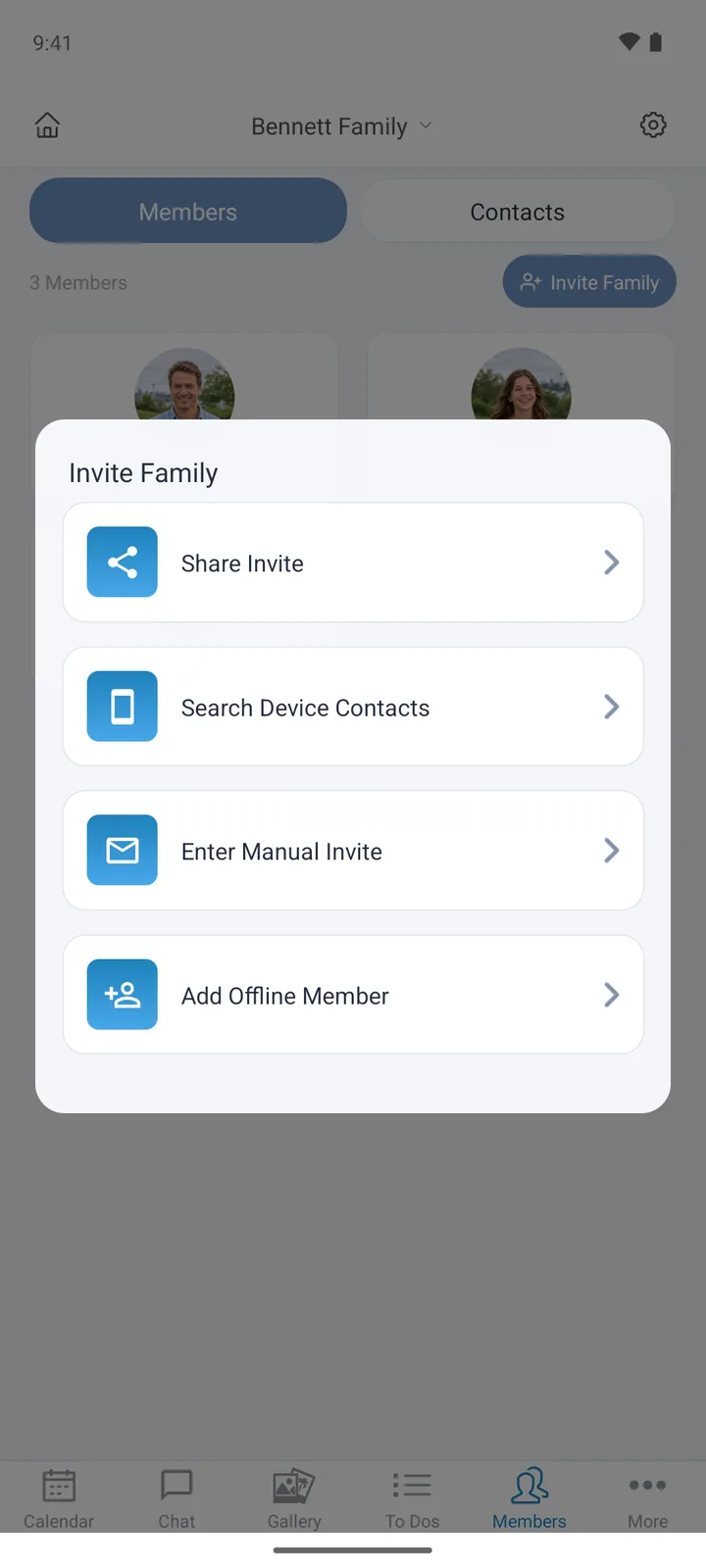
- Tap Invite Family, then Add Offline Member.
- In Add family member, type their name in Display Name, add a photo with Display Pic and fill in Relationship.
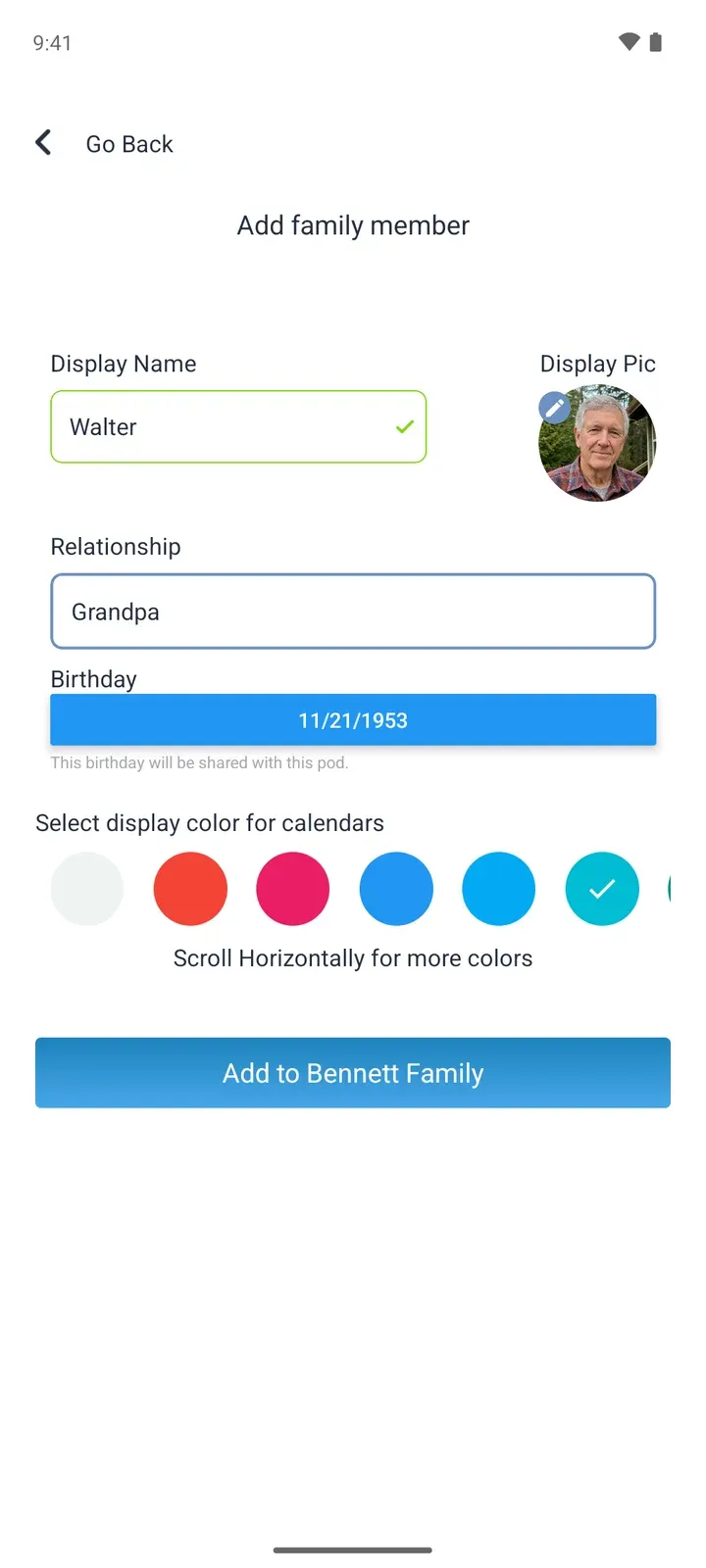
- Under Birthday, tap SET DATE, pick the date and tap OK. Then pick a color under Select display color for calendars (swipe the row for more colors).
- Tap Add to followed by your pod's name. They then appear under Members and can be added to events, to-dos and trips.

Steps checked on Android; iPhone screens may look slightly different. Checked in Podz 2.20.56 on Nov 16, 2026.
Good to know
The relationship placeholder reads Enter relationship to pod/pod role. Under Birthday, the form says This birthday will be shared with this pod. Go Back is at the top.
Still stuck? Get help from Podz, or search all the guides.
