
Dated itinerary days and a New Trip shortcut
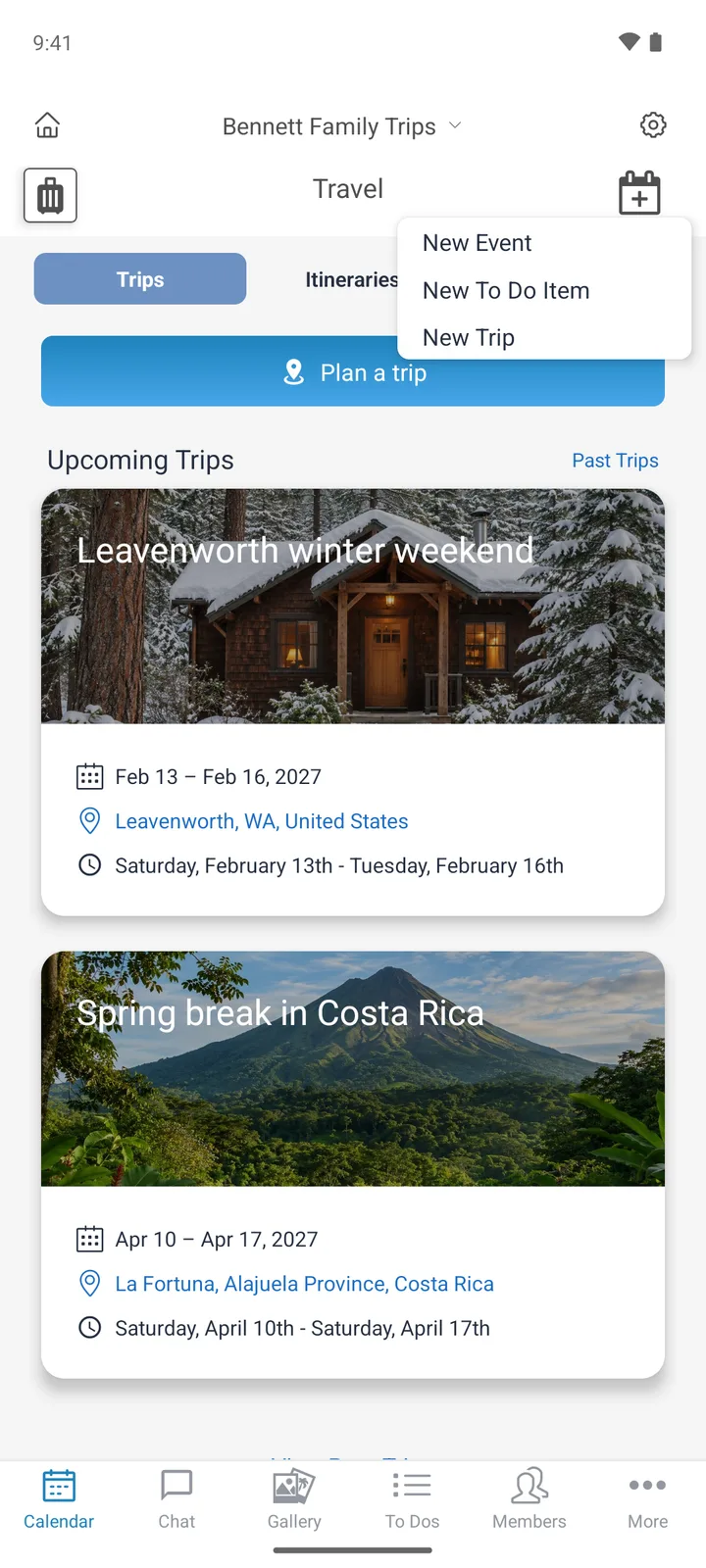
See itinerary dates and stop times. Start a trip with the add-event button (the calendar with a plus sign, to the right of the date).
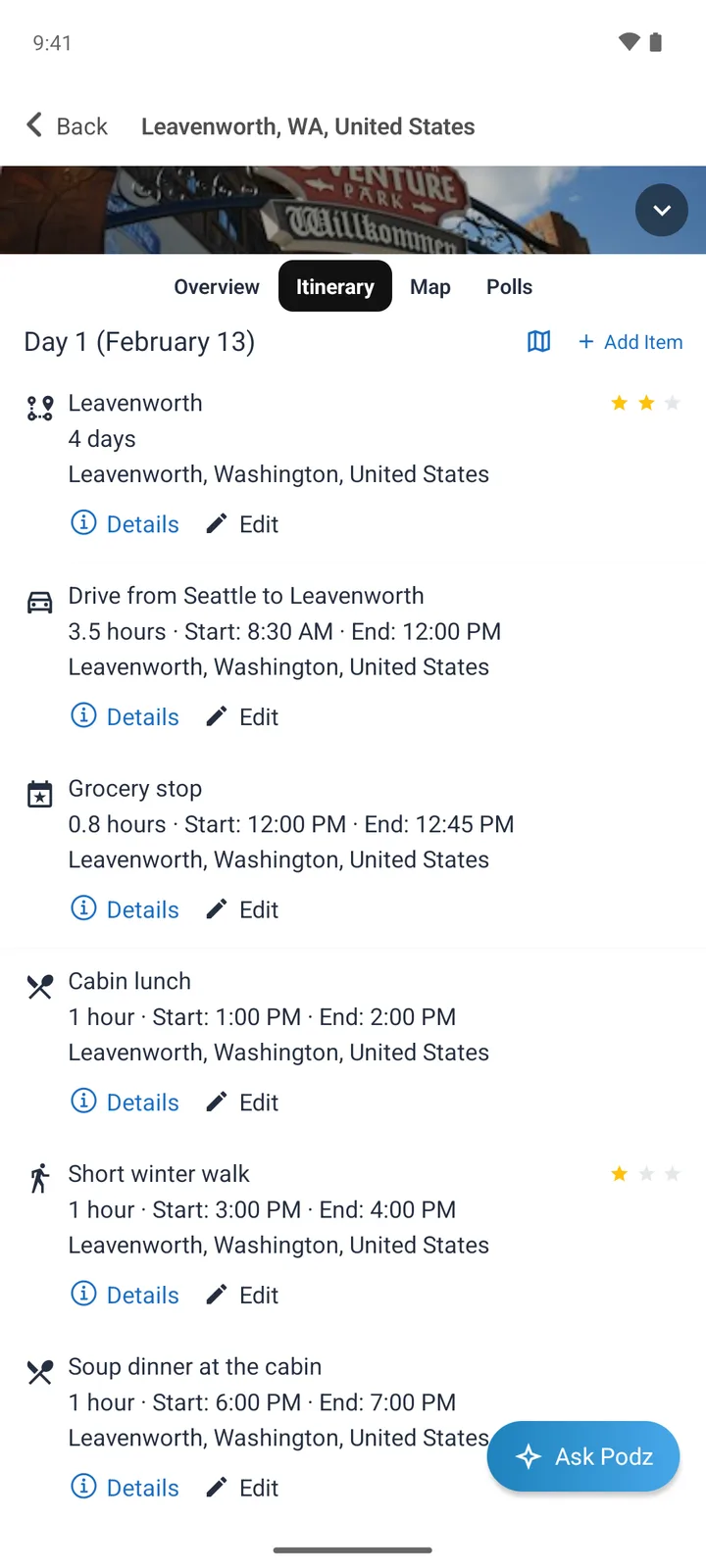
On an itinerary’s Itinerary tab, each day now carries its date, such as “Day 1 (February 13)”, so a long trip is easy to match to the calendar. Each stop shows how long it takes, when it starts and ends, and where it is: a drive from Seattle to Leavenworth reads 3.5 hours, from 8:30 AM to 12:00 PM.
To start a trip from the calendar, tap the add-event button (the calendar with a plus sign, to the right of the date) and choose New Trip. The same menu has New Event and New To Do Item, and it is also at the top right of Travel.
When you add a stop yourself with Add Item beside a day’s heading, Activity type offers Flight, Train and Car Rental among others, and the form asks Where are you traveling from?
From the store listing
From the release notes Podz published on the App Store.
Better Trips. Easier Meals. More Time Together.
We've made it even easier to organize your travels, plan family meals, and keep everyone on the same page.
BETTER TRAVEL PLANNING
• Explore your trip, one day at a time. View each day's itinerary on a map and swipe between days to see where you're going next. Perfect for longer trips with lots of stops and activities.
• Every travel detail in one place. Easily organize flights, trains, car rentals, and rides with clear departure and arrival locations, times, directions, and booking details. Search airports and train stations by name or city.
• Navigate smarter. Get directions from your departure point, current location, or saved places like Home - making it easier to get where you need to go.
• Stay organized on longer trips. See actual calendar dates alongside itinerary days, move through large itineraries faster, and pick up right where you left off after making changes.
EASIER MEALS & GROCERY SHOPPING
• From recipe to grocery list in one tap. Found something delicious? Add the ingredients directly to your grocery list without entering them individually.
• Make grocery shopping a team effort. Create shared grocery lists, assign who's shopping, and easily select the items you need.
• Plan meals with less effort. Enjoy a simpler meal planner with easier recipe selection and improved tools for organizing your weekly meals.
MORE WAYS TO STAY ORGANIZED
• Keep confirmations handy. Add booking and confirmation details to any event, so reservations, appointments, and other important information are always easy to find.
• Start planning faster. Create a new trip directly from the Add menu, wherever you are in Podz.
• A smoother experience everywhere. We've improved event pages, calendar layouts on iPad and Mac, trip updates, and photo viewing in chat, along with performance and reliability improvements.
Your people. Your plans. One shared place.
Steps checked on Android; iPhone screens may look slightly different. Checked in Podz 2.20.55 on Nov 10, 2026.
