
Dutch and new calendar controls on Android
Podz for Android adds Dutch, a calendar color legend and a setting for the first day of your week.
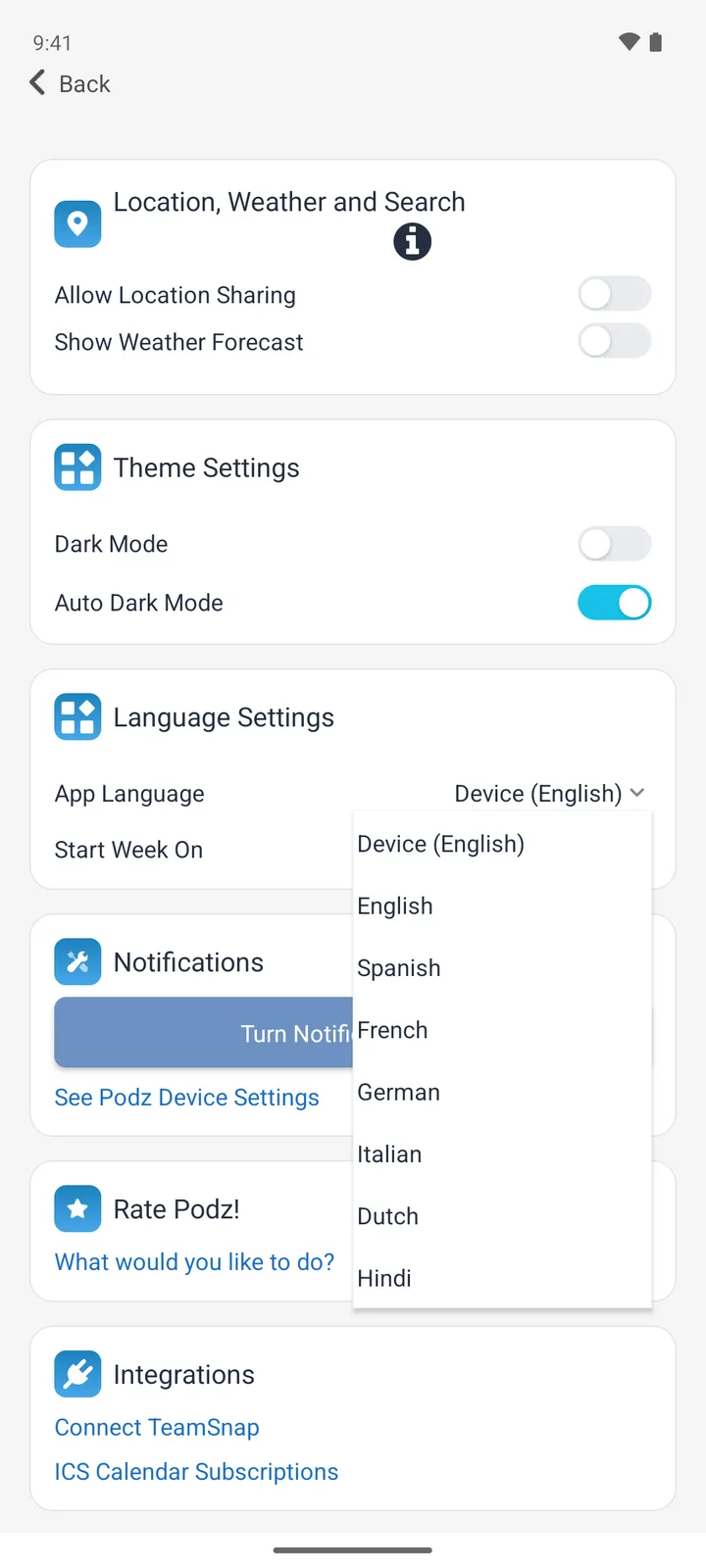
To use Podz in Dutch, open the app menu (the gear icon at the top right of a pod screen), tap App Settings, then open App Language under Language Settings. Choose Dutch. Podz asks whether to use the language for this session or every time you open the app.
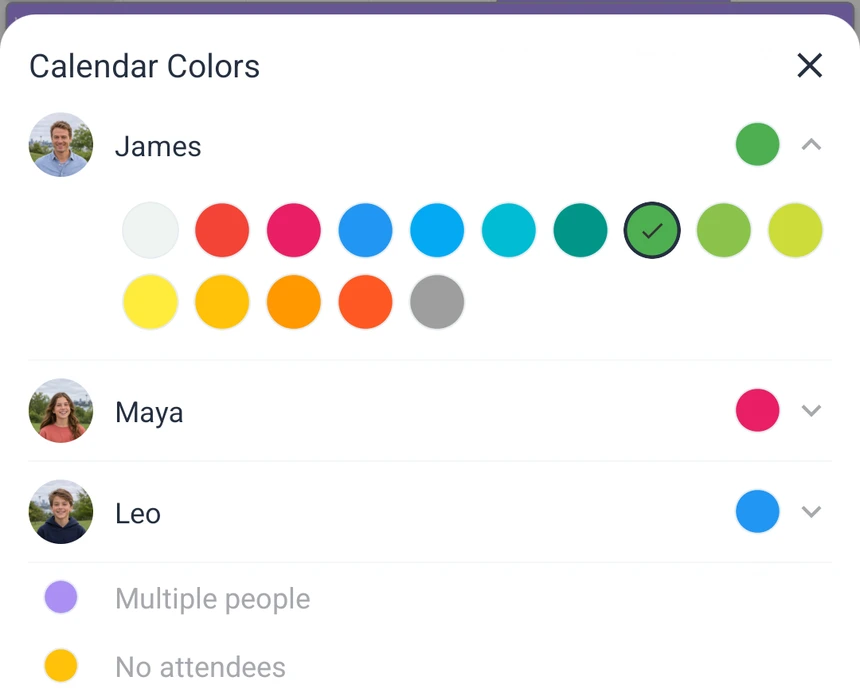
The Start Week On setting is on the same screen. Leave it on Device to follow your phone, or choose the start of the week that suits your family. In Day, Week or Month view, tap Legend to see the colors for the people in your pod. Tap a member’s row to open their palette. See the calendar color guide.
From the store listing
From the release notes Podz published on Google Play.
Easier calendars. Now in Dutch!
Steps checked on Android; iPhone screens may look slightly different. Checked in Podz 2.20.59 on Nov 24, 2026.
