
为什么我收不到 Podz 通知?
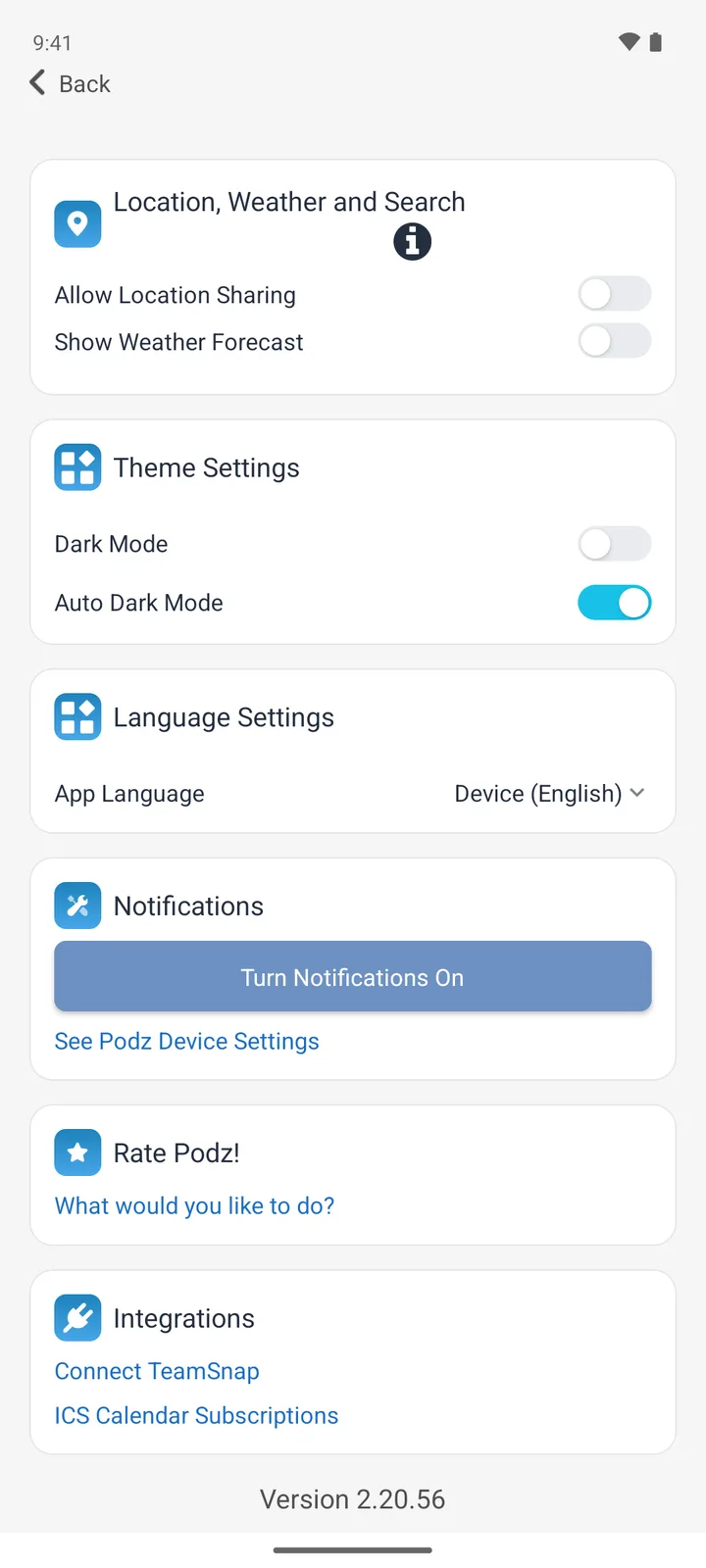
打开 App Settings:如果显示 Turn Notifications On,点击它并允许通知。然后检查 pod 是否被静音,以及活动是否设置了提醒。
步骤
- 在 pod 中打开应用菜单(pod 页面右上角的齿轮图标)。
- 点击 App Settings。
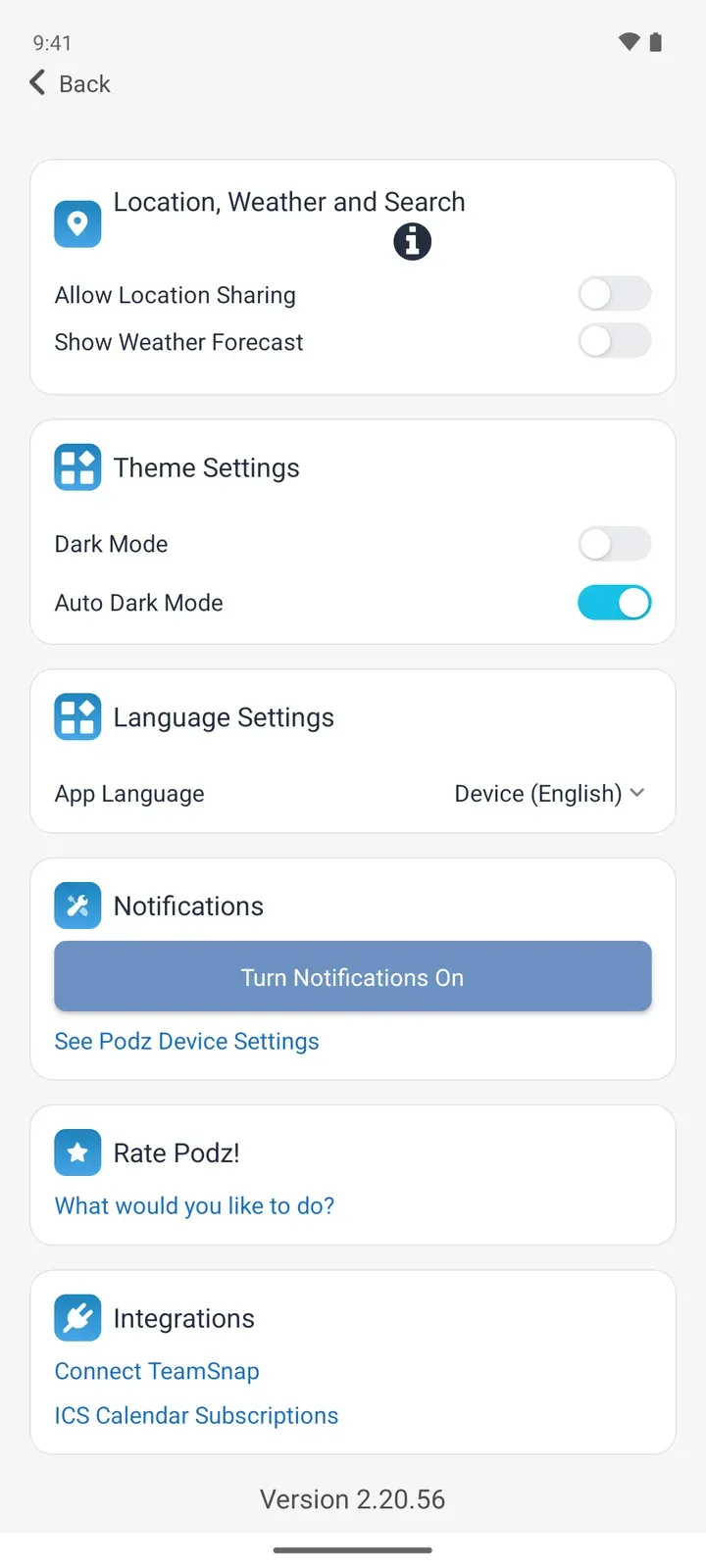
- 在 Notifications 下点击 Turn Notifications On。
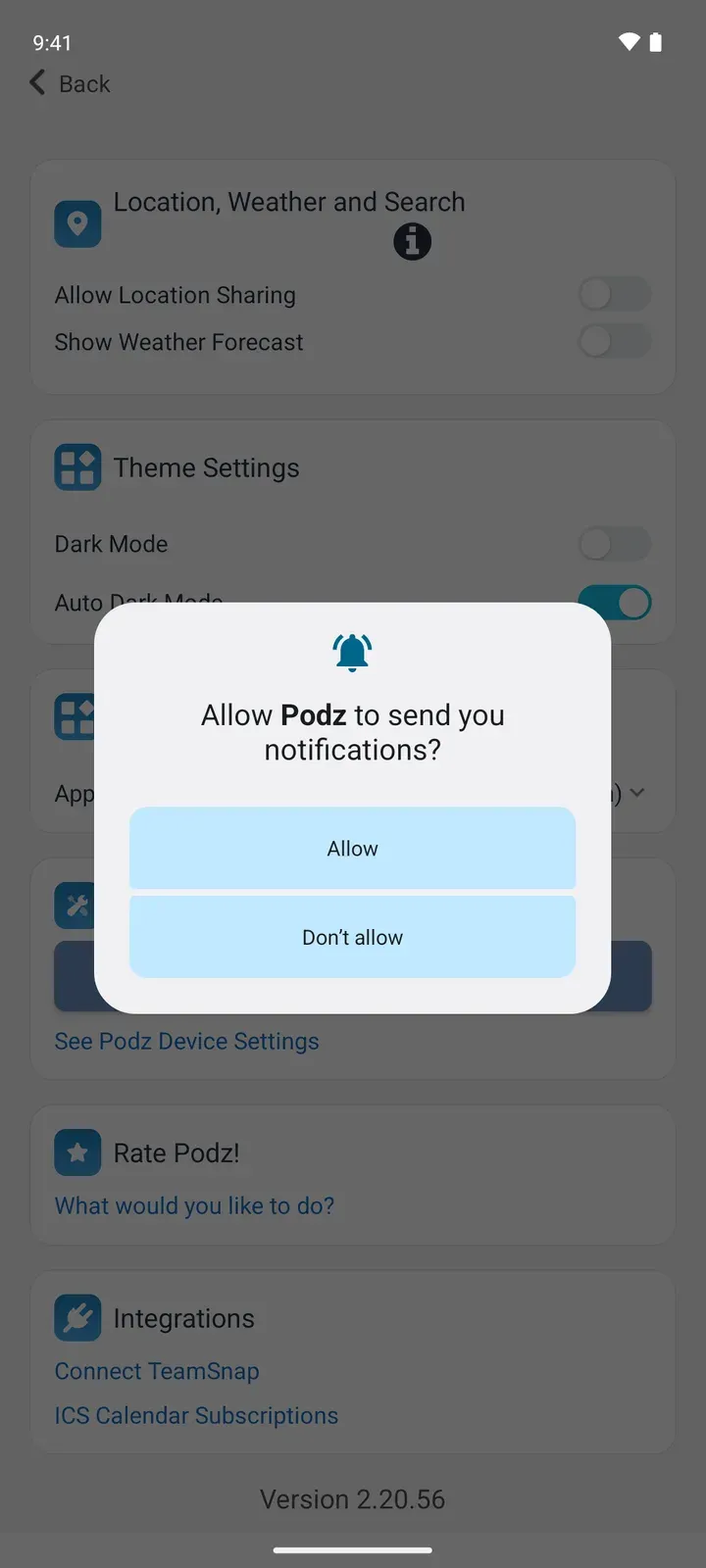
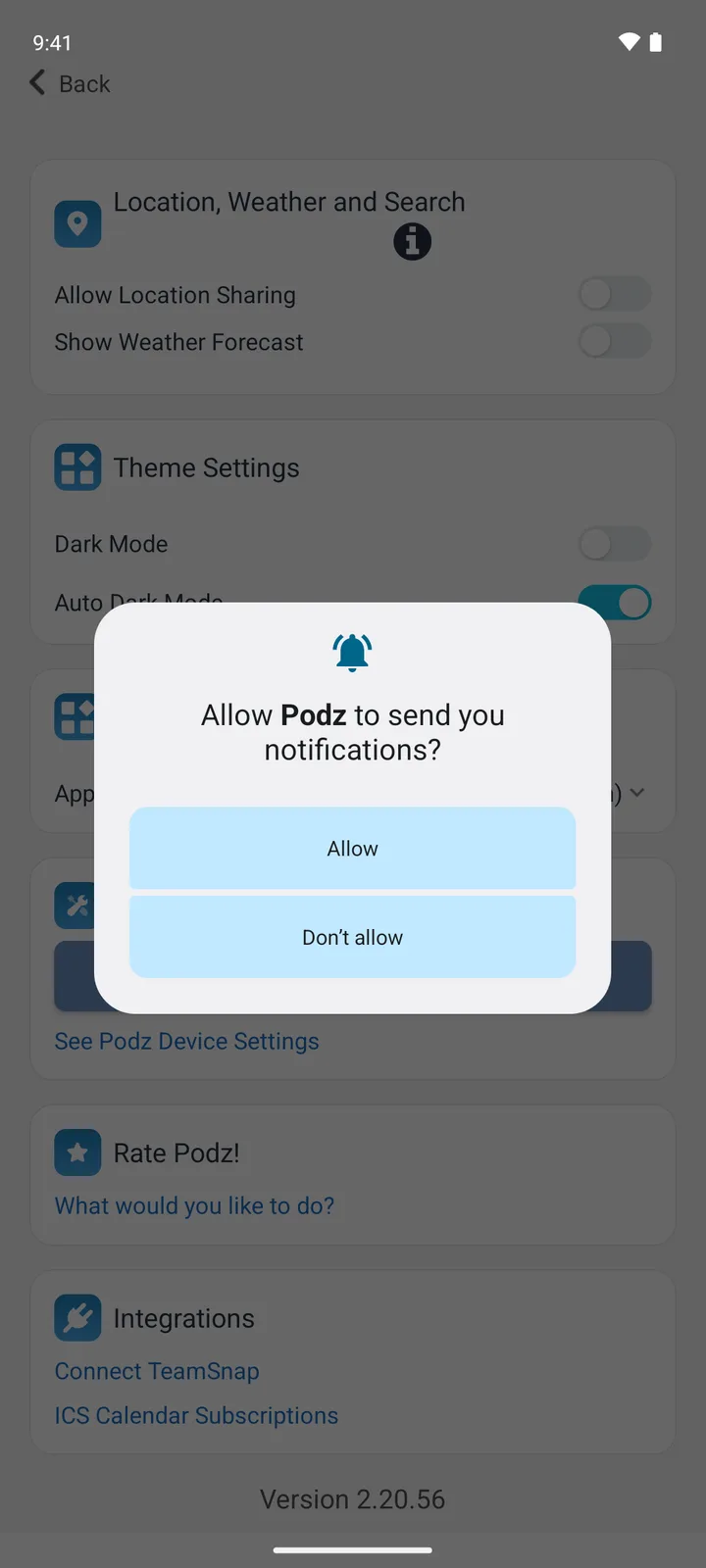
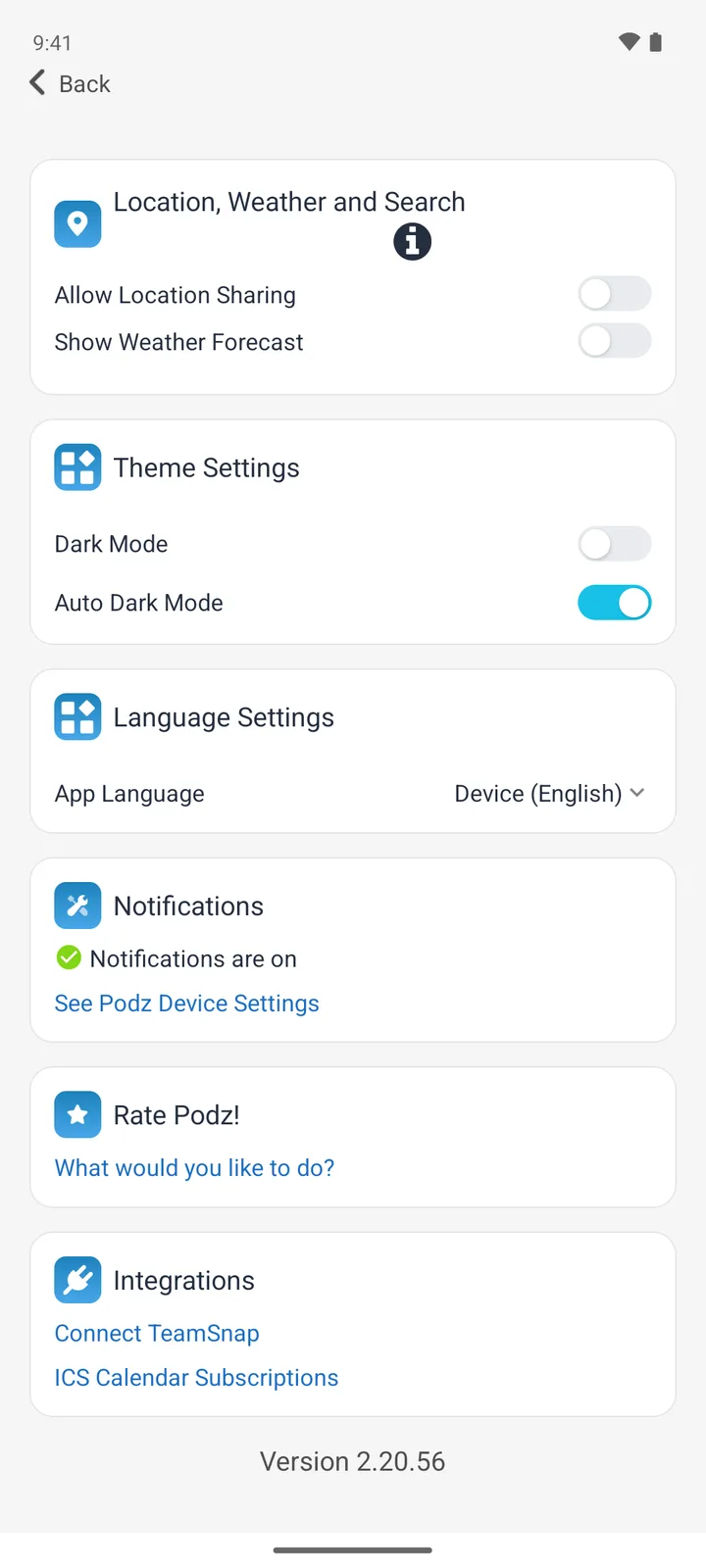
- Android 询问时,点击 Allow。Notifications 现在显示 Notifications are on。
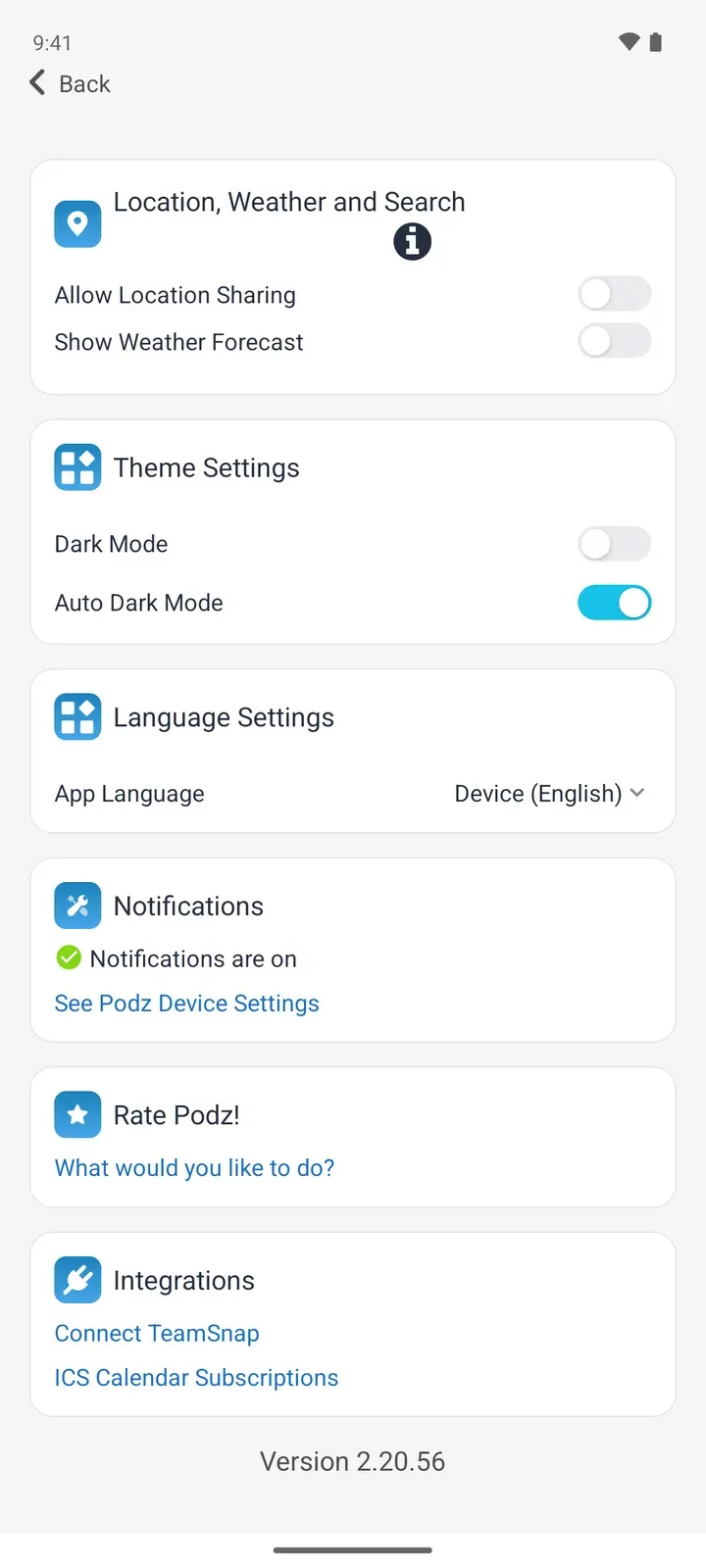
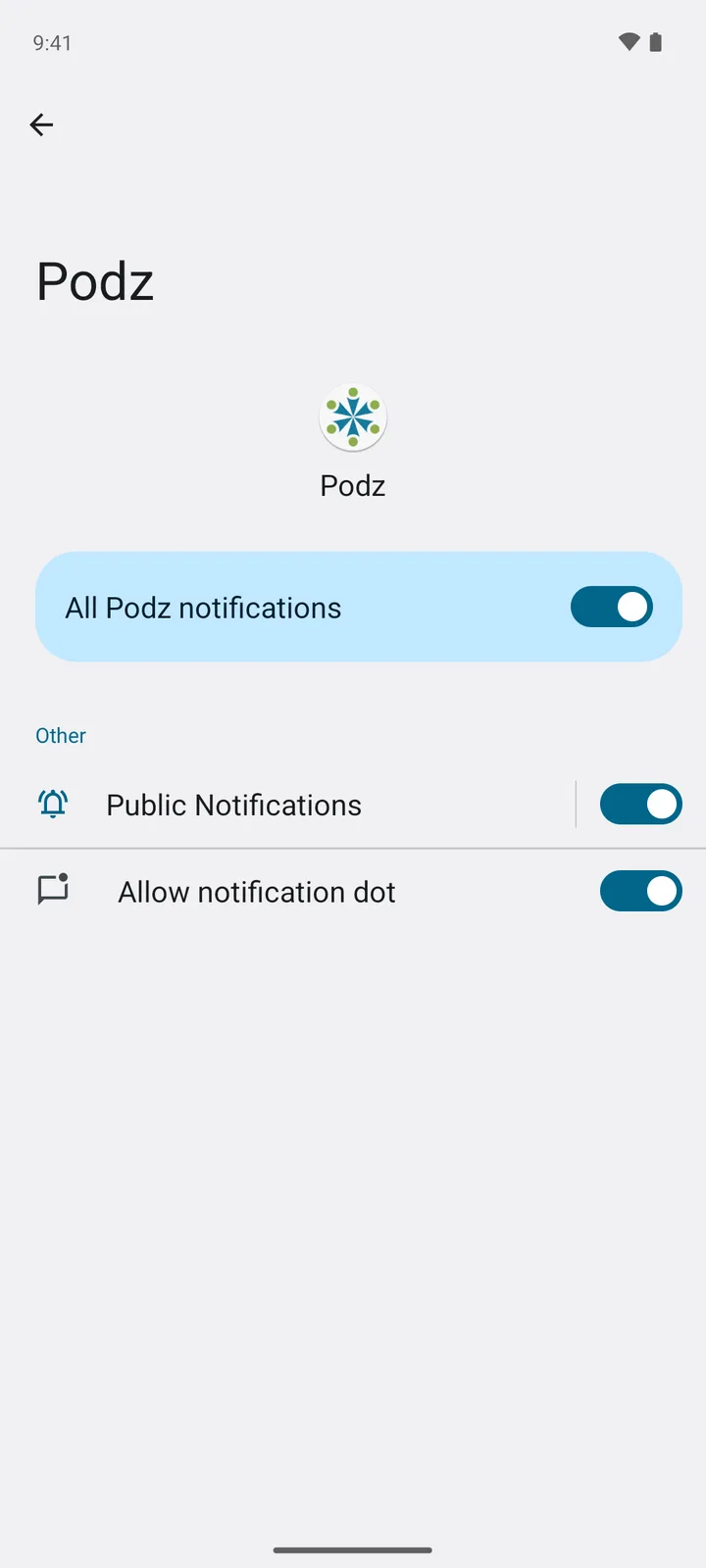
- 如果仍然收不到通知,点击 See Podz Device Settings,再点击 Notifications,确认 All Podz notifications 已打开。
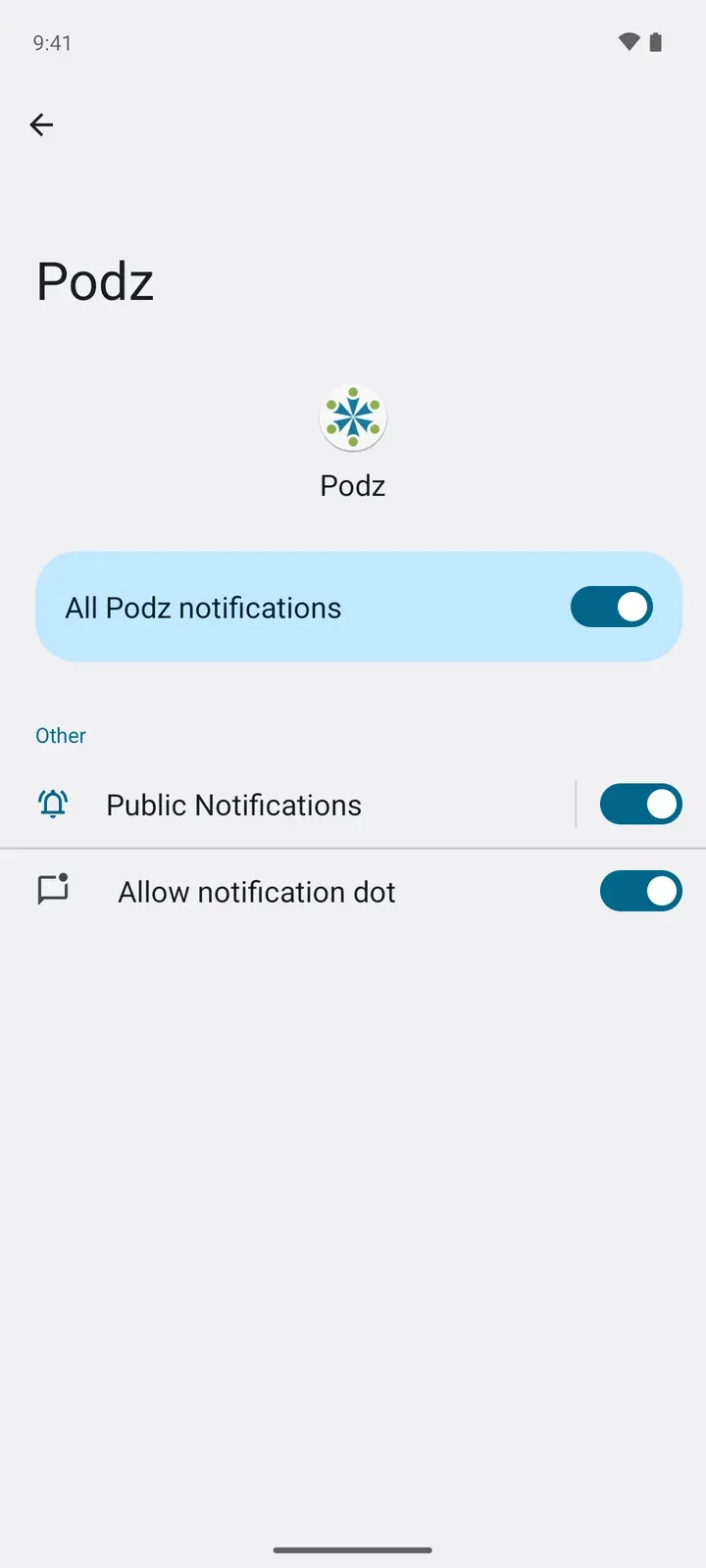
步骤已在 Android 上核对,iPhone 上的界面可能略有不同。已于 2026年11月16日在 Podz 2.20.56 中核对。
小贴士
如果手机通知已启用,请检查 Pod Profile 中的 Silence This Pod 和活动提醒。新建活动时显示 First Alert,编辑已保存的活动时显示 Alert。相关指南会介绍这些设置。Android 的文字可能因设备和手机语言而异。
