
How do we split trip costs and see who owes what?
Open the trip, tap Expenses, then Add Expense. Enter what it was, the amount, who paid and how to split it, then tap Save Expense. Balances and Settle Up show who owes whom.
Steps
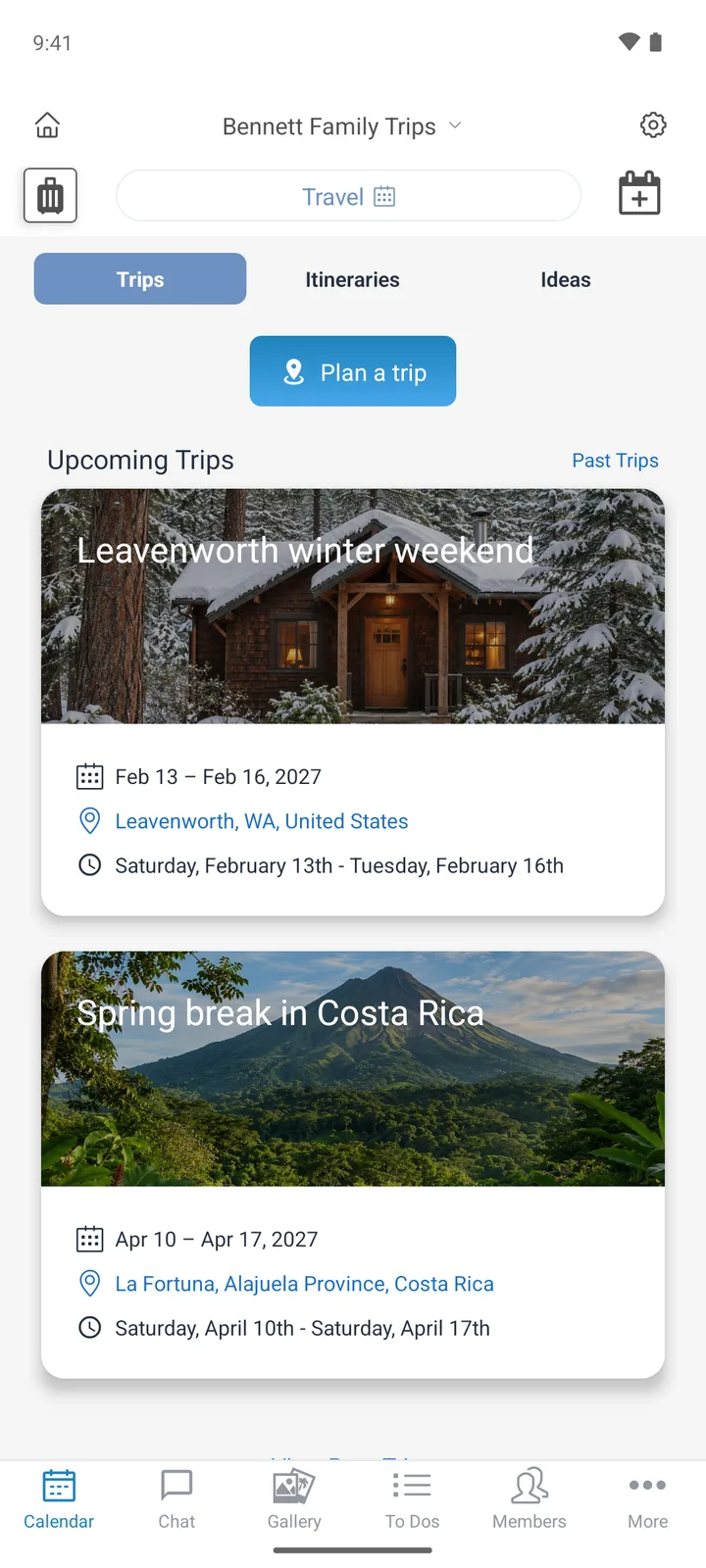
- Open Travel. Your trips are under Trips.
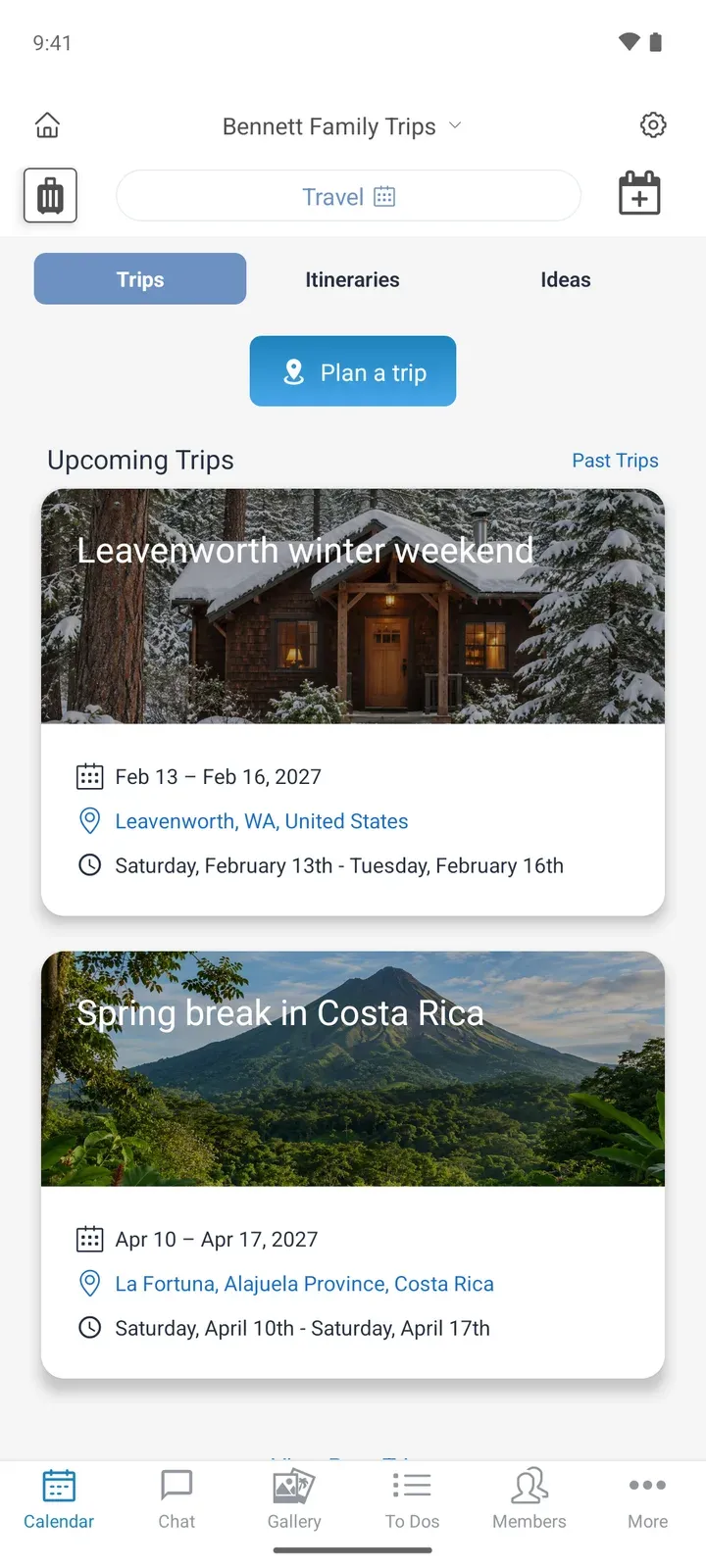
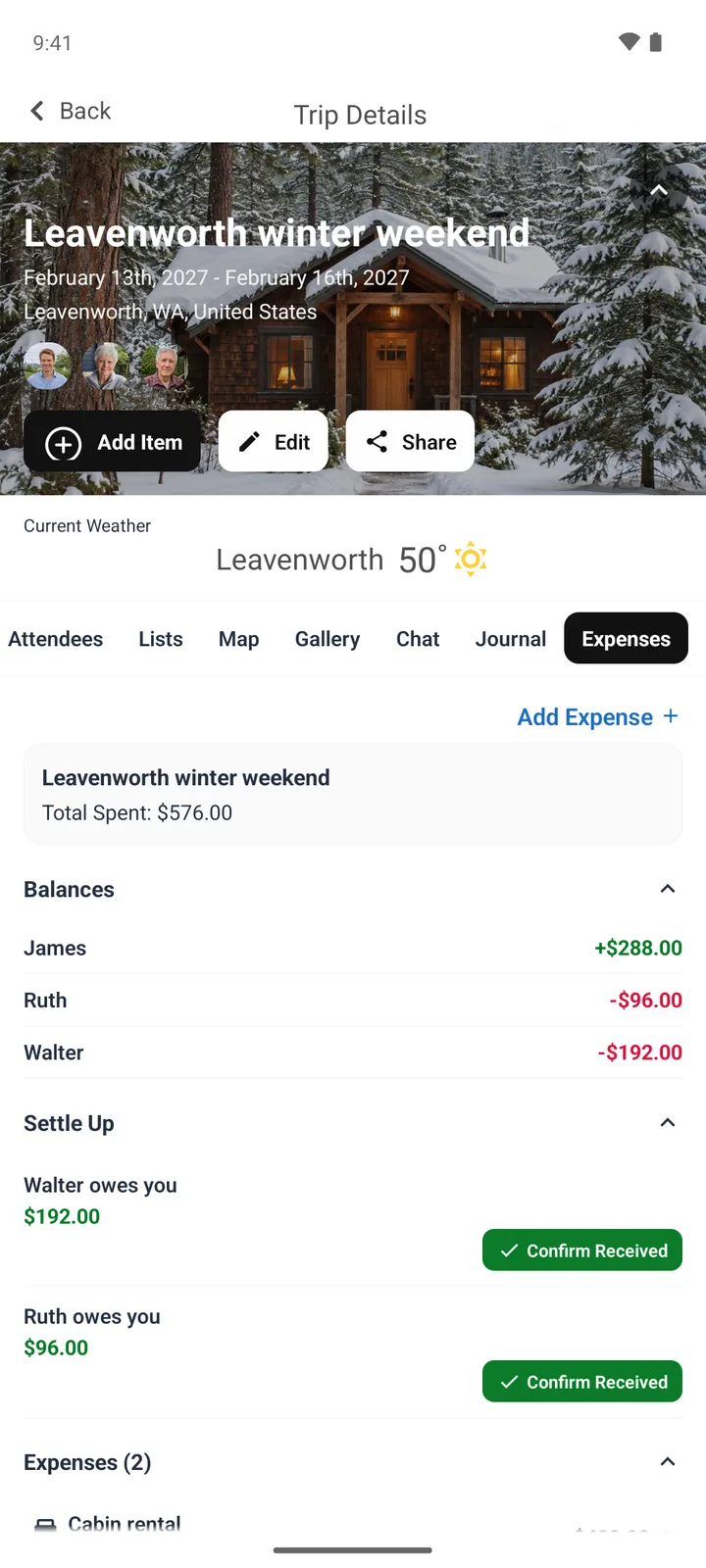
- Open the trip, swipe its row of tabs to the end and tap Expenses, then Add Expense.
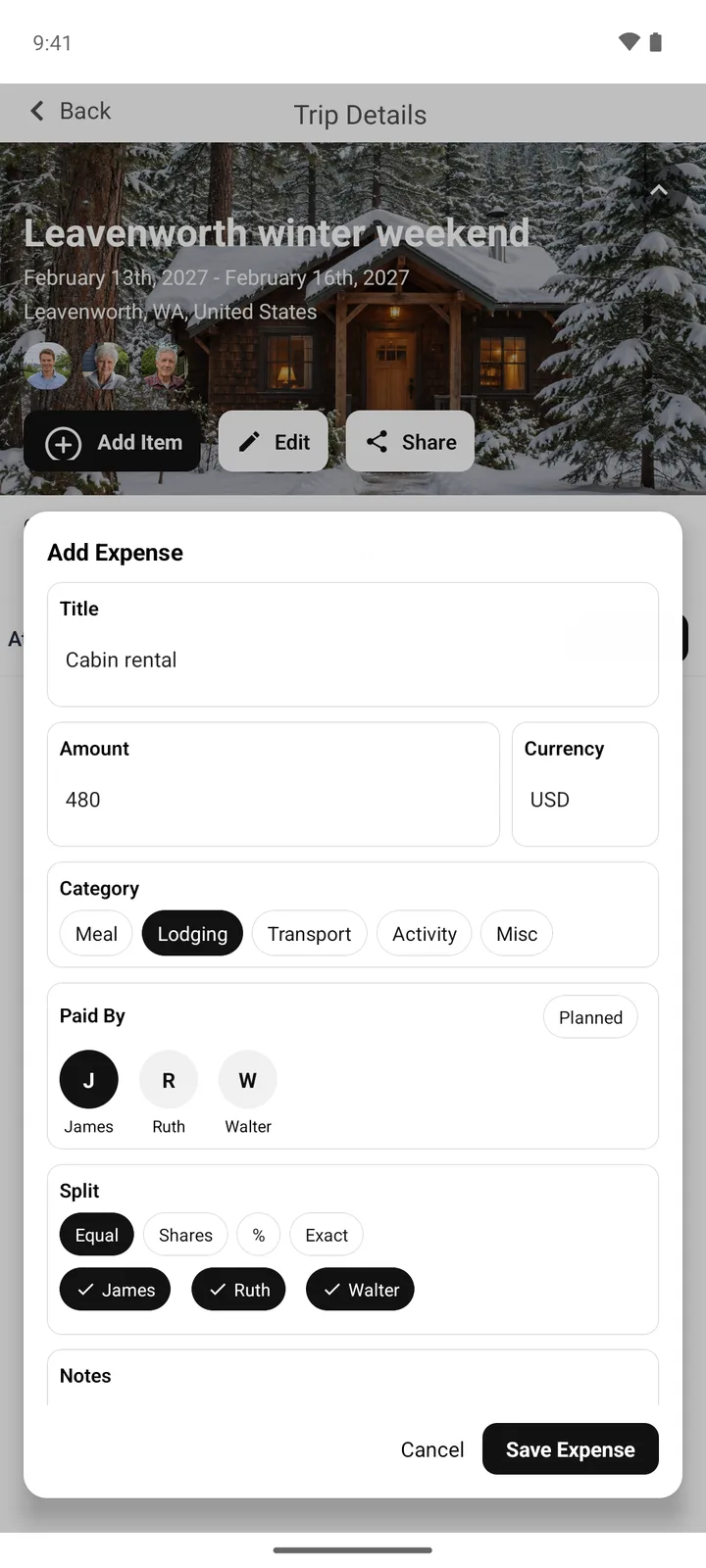
- Type a Title and an Amount, check the Currency, and pick a Category.
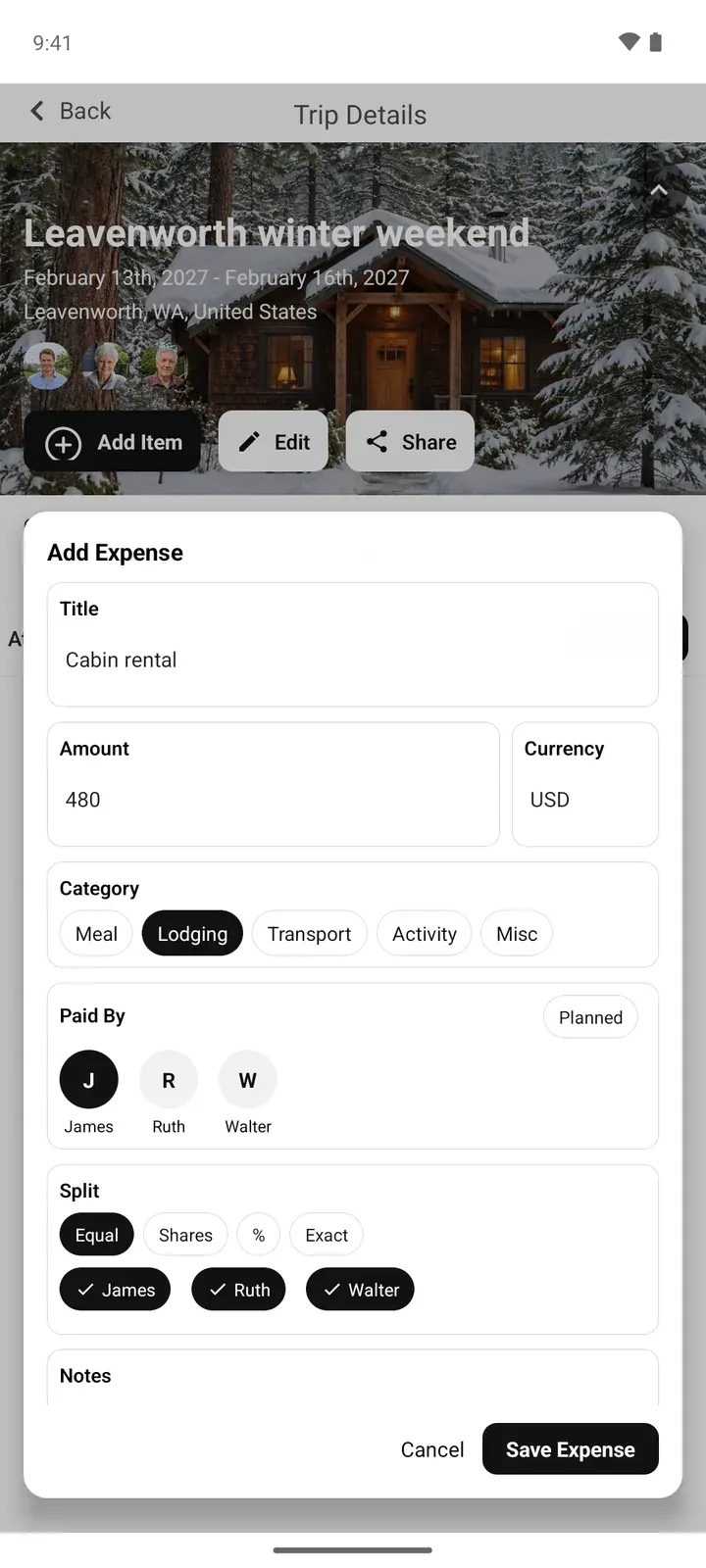
- Under Paid By, tap the person who paid.
- Under Split, keep Equal or choose Shares, % or Exact, tick who shares the cost, and tap Save Expense.
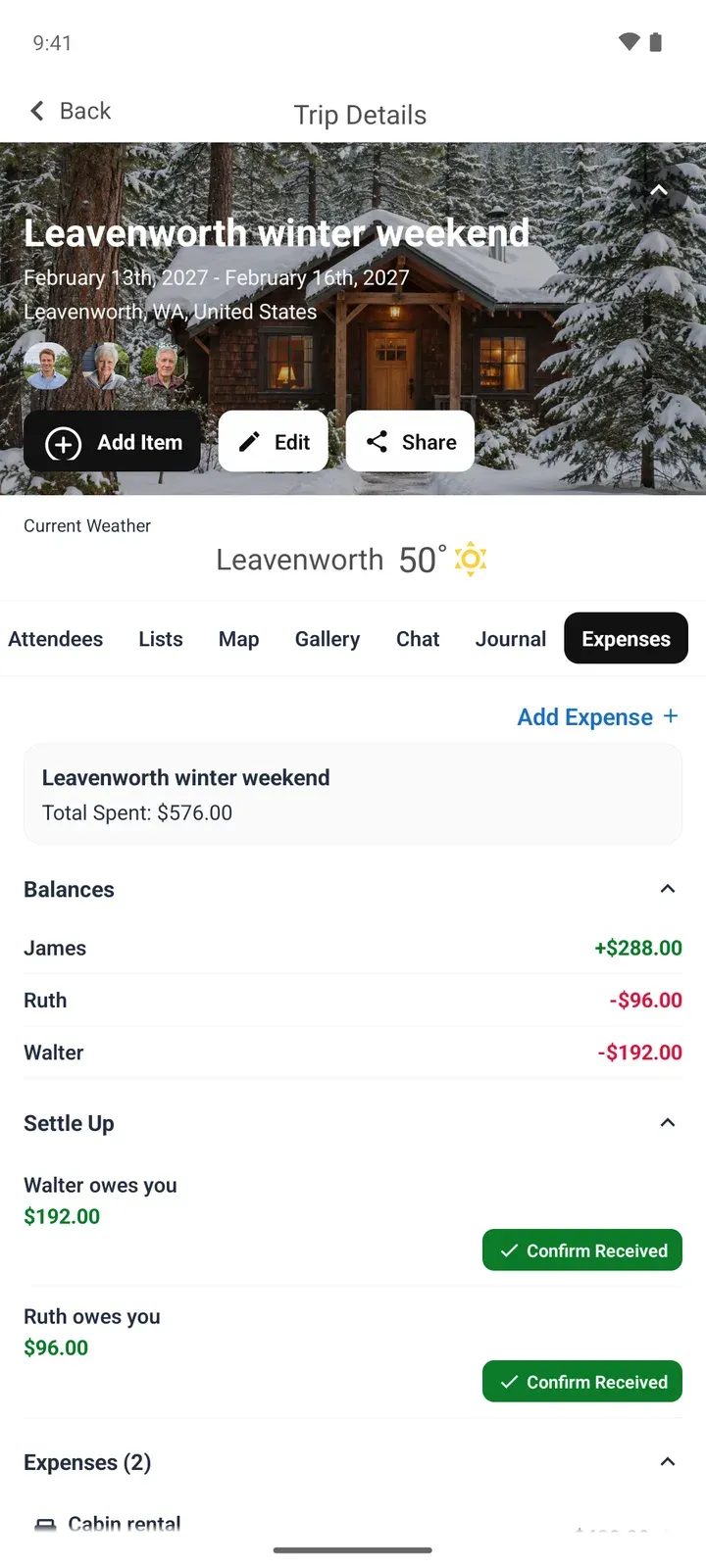
- Add each cost the same way. Total Spent, Balances and Settle Up show who owes whom; when someone pays you back, tap Confirm Received.
Steps checked on Android; iPhone screens may look slightly different. Checked in Podz 2.20.56 on Nov 16, 2026.
Good to know
Category includes Meal, Lodging, Transport, Activity and Misc. Planned sits beside Paid By, and Notes and Receipt are at the bottom of the form. Add Expense is also in the trip’s Add Item menu.
Still stuck? Get help from Podz, or search all the guides.
